The 10 Best CRMs for Small Businesses in the AI Age (2026)
The CRM landscape has fundamentally changed. What separated a good CRM from a great one in 2022 — clean UI, deal pipelines, email integration — is now table stakes. In 2026, the defining question is simpler and more radical: how much can your CRM do on its own?
If your CRM still requires a human to type every note, update every deal stage, and manually fire off every follow-up sequence, you're operating at a structural disadvantage. The best small business teams today are running lean — five, ten, fifteen people — closing revenue that used to require teams twice their size. The difference? They chose a best ai crm for small business that actually works autonomously, not just one that promises to.
This guide covers the 10 best CRMs for small businesses ranked specifically for AI capabilities in 2026. We evaluated each platform on native AI depth, voice AI, unified platform coverage, pricing, and ease of use. For general CRM selection guidance beyond AI, see our small business CRM guide.
The verdict up front: most "AI CRM" claims are marketing. Only one platform on this list has true two-way voice AI that executes CRM actions by natural language command. The rest are catching up — some faster than others.

How We Ranked: The AI CRM Scorecard
Ranking CRM platforms for AI capabilities in 2026 requires a different framework than a traditional feature comparison. We scored each platform across five weighted categories to identify the top AI-powered CRM platforms for small teams:
Scoring Methodology
| Category | Weight | What We Measured |
|---|---|---|
| Native AI Features | 30% | Is AI built into core workflows, or is it an add-on? Does it execute tasks or just suggest them? |
| Voice AI | 20% | Can you control the CRM by voice? Is it two-way? How many actions are supported? |
| Unified Platform | 20% | Does the CRM include sales, marketing, support, and booking — or do you need 4 separate tools? |
| Pricing | 15% | Total cost for a 5-person team including AI features. No hidden tiers. |
| Ease of Use | 15% | Time to first meaningful AI output. Onboarding complexity. Support quality. |
Why Voice AI Gets Its Own Category
We gave voice AI its own 20% weight because it represents a categorically different kind of productivity gain. Every other AI feature — lead scoring, email suggestions, auto-summaries — still requires you to sit at a keyboard, navigate menus, and click through interfaces. Voice AI eliminates that entirely. For teams evaluating the best ai crm for small business, voice capability should be a primary criterion. It's the difference between AI that helps you work and AI that works for you.
A sales rep driving between client meetings can't open their laptop to update a deal stage. But they can say: "Mark the Acme Corp deal as Proposal Sent and set a follow-up task for Friday." If their CRM executes that command and confirms it — without them touching a screen — that's a genuine productivity multiplier that compounds across every workday. This is why voice AI capability is the clearest signal of the best ai crm for small business.
No platform on this list currently matches PipeCrush's voice AI implementation. The gap between first and second place in this category is wider than in any other category in this ranking.
Master Comparison Table
| CRM | Native AI Score | Voice AI | Unified Platform | Pricing Score | Ease of Use | Overall |
|---|---|---|---|---|---|---|
| PipeCrush | 10/10 | 10/10 | 10/10 | 10/10 | 9/10 | 9.9/10 |
| HubSpot | 6/10 | 0/10 | 8/10 | 3/10 | 7/10 | 5.2/10 |
| Salesforce | 7/10 | 0/10 | 9/10 | 2/10 | 3/10 | 5.0/10 |
| Close | 4/10 | 0/10 | 4/10 | 6/10 | 8/10 | 4.2/10 |
| Freshsales | 5/10 | 0/10 | 5/10 | 6/10 | 6/10 | 4.6/10 |
| Pipedrive | 4/10 | 0/10 | 4/10 | 6/10 | 8/10 | 4.2/10 |
| Zoho CRM | 5/10 | 0/10 | 6/10 | 8/10 | 5/10 | 4.8/10 |
| Monday Sales CRM | 3/10 | 0/10 | 4/10 | 6/10 | 8/10 | 3.8/10 |
| GoHighLevel | 4/10 | 0/10 | 7/10 | 7/10 | 5/10 | 4.4/10 |
| Copper | 2/10 | 0/10 | 3/10 | 6/10 | 7/10 | 3.2/10 |
When evaluating the best ai crm for small business, these five dimensions reveal which platforms deliver real AI versus marketing claims. Learn more about PipeCrush's CRM platform and why it tops every AI dimension in this comparison.
#1 — PipeCrush: The Voice-First AI CRM Built for Small Teams
PipeCrush is the best ai crm for small business in 2026, and the gap between it and every other platform on this list comes down to one fundamental design decision: PipeCrush was built with AI as the execution layer, not as a reporting layer. Every other CRM in this guide uses AI to analyze what happened or suggest what to do next. PipeCrush uses AI to actually do it.
This distinction matters enormously for small teams. When you have five or ten people doing the work of twenty, the hours saved by eliminating manual CRM data entry, sequence triggers, and status updates aren't just nice to have — they're the margin between a profitable month and a scramble. PipeCrush's voice AI alone takes a large share of routine CRM updates off a rep's plate, and that's before counting the time saved by its AI sequences, chatbots, and AI receptionist.
Voice AI: The Feature No Other Small Business CRM Has

PipeCrush's voice AI assistant is not a voice-to-text transcriber. It is not a keyword-triggered command system. It is a two-way AI agent that understands natural language, executes real CRM actions, confirms what it did, and asks clarifying questions when it needs more information. No other small business CRM on the market offers this today.
Here is what makes the voice AI architecture distinct:
True two-way communication. When you say "Create a deal for Northstar Media at fifty thousand dollars in the proposal stage," PipeCrush's voice AI executes the deal creation and responds: "Done — I've created the Northstar Media deal for $50,000 in Proposal Sent. Want me to assign it to you and set a follow-up task?" You reply "Yes, set a task for next Monday." It does it. This is a conversation, not a command line.
21+ CRM actions executable by voice. The voice AI covers the full daily workflow of a sales rep: creating and searching leads, creating and updating deals, adding notes, sending emails, triggering AI sequences, booking appointments, creating support tickets, managing customer records, and navigating the dashboard. You can run your entire CRM day without touching a keyboard.
32+ tool calls across 9 intent categories. Under the hood, PipeCrush's voice AI routes each command to the right tool set based on intent classification. The 9 categories are: Leads, Deals, Tickets, Customers, Appointments, Email & Sequences, Marketing (Campaigns & Landing Pages), Tasks, and Navigation. Each category has its own set of precise tool calls — for example, the Deals category handles creating deals, updating deal stages, attaching contacts, and sending follow-up emails. The Sequences category handles triggering AI sequences, creating new sequences, and checking sequence status.
Real-world voice AI workflows:
- "Search for all leads tagged enterprise who haven't been contacted in 14 days" — returns the list by voice and offers to send them a sequence
- "Create a lead for Sarah Chen at TechCorp, her email is sarah@techcorp.com, she's interested in our enterprise plan" — creates the lead and confirms
- "Send the Q2 follow-up sequence to all leads in the negotiation stage" — triggers the batch sequence and reports back how many contacts were enrolled
- "Book a discovery call with James from Acme Corp for Thursday at 2pm" — creates the appointment and confirms calendar availability
- "Add a note to the Riverdale deal: they're concerned about implementation timeline" — logs the note and asks if you want to set a follow-up task
- "What deals do I have closing this month?" — queries and reads back a summary of your pipeline
For a complete deep dive into PipeCrush's voice AI capabilities, see our voice-first CRM guide.
AI Sequences: Multi-Touch Outreach Without Manual Work
PipeCrush's AI sequences handle the entire outreach workflow automatically. You define the sequence — touchpoint cadence, messaging angles, follow-up conditions — and the AI personalizes and delivers each message based on lead data. When a lead replies, the sequence pauses and routes to your unified inbox so you can take over the conversation. When they don't, the next touchpoint fires automatically.
This is not a mail merge. The AI personalizes each email using lead data, company context, and sequence stage. A lead at a 50-person SaaS company gets a different message than a lead at a 5-person agency, even if they're in the same sequence. The system adapts tone and angle based on the lead profile.
You can enroll leads in sequences manually, via the voice AI, or automatically using trigger rules — for example, "enroll all leads tagged inbound-demo who haven't booked within 48 hours." Small teams can run outbound campaigns that previously required a dedicated SDR, at a fraction of the cost.
AI Chatbots: Sales and Support on Autopilot
PipeCrush includes both an AI sales chatbot and an AI support chatbot, both trained on your knowledge base through the chatbot training interface. The sales chatbot qualifies website visitors, collects contact information, and books demos directly into your calendar through the online booking system. The support chatbot handles customer questions using RAG-powered retrieval from your documentation, escalating to a human agent when needed.
Both chatbots log every conversation directly into the CRM. When a visitor books a demo through the sales chatbot, a new lead record appears automatically with the full conversation history attached. When a customer submits a support question, a ticket is created and linked to their customer record in customer management. No manual data entry required.
AI Receptionist: Inbound Calls Handled Automatically
PipeCrush's AI receptionist handles inbound phone calls using natural voice AI. When someone calls your business number, the AI receptionist answers questions from your knowledge base, books appointments on the call, takes messages, opens support tickets, transfers callers to the right team member, and logs everything in the CRM. For after-hours calls, it can book appointments directly or take a message so your team can call back. The AI receptionist is included on the Pro and Business plans.
This feature alone can eliminate the need for a front-desk hire or answering service for many small businesses. The AI receptionist handles the most common inbound call patterns — "I'm interested in your product," "I need support with my account," "I want to book an appointment" — and creates CRM records for every interaction.
Unified Platform: One Tool for Everything
PipeCrush is the only platform in this ranking that includes every revenue-critical function in a single subscription:
- CRM platform with lead management, contact records, activity history
- Deal pipeline with stage management, forecasting, deal tracking
- Email marketing with broadcast campaigns, plus cold email through the optional Sending bundle add-on (pre-warmed mailboxes on separate domains)
- AI sequences with automated personalized outreach
- AI sales chatbot for website lead qualification
- AI support chatbot for customer service automation
- AI receptionist for inbound call handling
- Unified inbox for all conversations in one place
- Online booking and appointment scheduling
- Landing pages with lead capture forms
HubSpot charges enterprise prices to get even half this feature set. Salesforce requires multiple clouds and add-ons. Most small business CRMs cover only two or three of these categories. PipeCrush covers all of them at a flat plan price designed for small teams, with the AI receptionist included from the Pro plan ($119/month).
Best for: Small business teams of 1–50 who want an AI-native CRM — maximum AI leverage, minimum tool sprawl, and voice control that actually works. See our AI sales automation guide for a deeper look at PipeCrush's automation capabilities.
#2 — HubSpot: The Enterprise Ecosystem

HubSpot is the most recognized name in CRM, and for enterprise marketing teams with substantial budgets, it earns that recognition. Its ecosystem is genuinely impressive: hundreds of integrations, a mature content management platform, deep marketing analytics, and a well-documented API. If your company has $10,000+ per month to spend on software and a dedicated RevOps person to manage it, HubSpot is a serious option.
For small businesses looking for an AI-native CRM at small business pricing, HubSpot is a difficult sell in 2026.
HubSpot's AI Reality: Breeze Is New and Limited
HubSpot launched "Breeze AI" in late 2024 with significant fanfare. In practice, Breeze is primarily a content generation tool — it can draft email copy, suggest blog posts, and summarize call transcripts. It does not execute CRM actions by voice. It does not trigger sequences autonomously. It does not answer your phone.
Breeze's most advanced features — Breeze Agents — are positioned as AI workers that can draft content and enrich contact records. These are genuinely useful for marketing teams producing high content volumes. But for small sales teams that need AI to reduce the manual overhead of CRM management, Breeze does not fill that gap.
There is no voice AI. There is no two-way conversation interface that executes CRM actions. There is no AI receptionist. The AI sequence personalization that exists is more basic than PipeCrush's and requires manual enrollment in most workflows.
HubSpot Pricing: The Free Tier Is a Trap
HubSpot's free tier is genuinely useful for getting started with basic contact management. The problem is that the moment you need real AI features, deal pipeline management, or email sequences, the cost jumps dramatically. Sales Hub Professional (where meaningful features begin) runs $890/month for five users. The Enterprise tier where the best AI features live can exceed $4,000/month for a growing team.
A typical B2B SaaS company using HubSpot for sales and marketing can easily spend $20,000+ annually. For small businesses evaluating AI CRM options for small teams, that price-to-AI-value ratio is hard to justify when alternatives offer more native AI at a fraction of the cost.
Best for: Companies with $5,000+/month software budgets, 50+ employees, a dedicated marketing team, and RevOps support. Not the best choice if voice AI, autonomous CRM actions, or flat-rate pricing matters to you. See our HubSpot alternatives guide for small business-friendly options.
#3 — Salesforce: The Enterprise Giant
Salesforce is the world's largest CRM company, and its Einstein AI platform is genuinely sophisticated — when you can afford it. Einstein offers predictive lead scoring, opportunity insights, automated activity capture, and the newer Agentforce platform, which positions AI agents as autonomous workers within Salesforce workflows.
The problem for small businesses is accessibility. Einstein AI in its meaningful form requires Enterprise licensing at $150+ per user per month. Agentforce is designed for enterprise-scale deployments with dedicated implementation teams. A typical Salesforce implementation for a small business runs $5,000 to $50,000 in consulting fees before you even add monthly subscription costs.
Salesforce AI: Analytics, Not Execution
Salesforce's AI strength is in analytics and predictions. Einstein can tell you which deals are most likely to close, which leads score highest, and which accounts are showing churn signals. These are valuable insights — but they require a human to act on them. There is no voice AI that executes CRM actions. There is no AI that can answer your business phone, qualify a lead, and create a CRM record automatically.
Agentforce is evolving rapidly and may close some of these gaps. But in 2026, it remains an enterprise-focused platform that requires significant technical configuration and is not designed for the small business team that needs to be running in a day.
Salesforce and Small Business: A Mismatch
Salesforce is infinitely customizable — which means someone has to do that customization. Most small businesses don't have a Salesforce admin or developer on staff, and hiring one negates the cost advantage of any pricing tier. The platform's complexity, while powerful for enterprise, creates friction that small teams rarely have the bandwidth to work through.
For small businesses that have outgrown basic CRM tools and need enterprise-grade pipeline management but not at enterprise price points, PipeCrush provides the AI depth and unified platform that Salesforce offers large teams — without the implementation cost or administrative overhead. See our Salesforce alternatives for startups guide for more options.
Best for: Companies with dedicated RevOps staff, $150+/user/month budgets, and complex enterprise sales processes that require deep customization. Not ideal for small teams who need to move fast with AI-powered workflows.
#4 — Close: The Calling-First CRM
Close is a purpose-built CRM for outbound sales teams that live on the phone. Its built-in calling infrastructure — including power dialer, predictive dialer, and call recording with transcription — is genuinely best-in-class among the CRMs on this list. If your sales model is primarily high-volume outbound cold calling, Close deserves serious consideration as a calling-focused option.
Close's AI Capabilities: Improving but Limited
Close has added an AI assistant that can summarize calls, suggest next steps, and draft follow-up emails based on call content. These features are useful for phone-heavy teams and have improved meaningfully in recent releases. The call summary feature in particular saves time on post-call note-taking, which matters when you're making fifty calls per day.
However, Close has no voice AI for CRM control. You cannot say "update this deal to Proposal Sent" and have the CRM act on it. There are no AI sequences with autonomous personalization. There is no AI chatbot for website visitors or inbound leads. There is no AI receptionist.
Close's Platform Limitations
Close is a sales tool, not a full revenue platform. It does not include email marketing, landing pages, support ticketing, or booking. Teams using Close will invariably need separate tools for marketing campaigns (Mailchimp or similar), customer support (Zendesk or similar), and appointment booking (Calendly or similar). The total monthly cost across these tools often exceeds what a unified platform like PipeCrush charges for everything.
For teams that are genuinely phone-call-driven and don't need voice AI or marketing automation, Close is a good product. For teams that want a comprehensive AI CRM with unified platform benefits and unified platform benefits, Close's narrow focus becomes a limitation.
Close Pricing and Total Cost of Ownership
Close's Startup plan begins at $49 per user per month, with Professional at $99 per user per month and Enterprise at $139 per user per month. For a 5-person team on Professional, that is $495 per month for the CRM alone. Add Mailchimp for email marketing at $45 per month, Calendly for booking at $60 per month for five seats, and Zendesk for support at $275 per month for five agents, and your total stack cost reaches $875 per month — nearly seventeen times what a unified AI CRM platform charges for all of these features combined.
The hidden cost is integration maintenance. Each tool connection requires monitoring, and when a Zapier automation breaks between Close and your support tool, leads fall through the cracks without anyone noticing until a customer complains. For small teams without dedicated operations staff, this integration tax consumes hours every week that could be spent on revenue-generating work.
Best for: Inside sales teams with high outbound call volumes who prioritize calling infrastructure over AI breadth or marketing capabilities.
#5 — Freshsales: The Freshworks Entry
Freshsales is Freshworks' CRM offering, and its Freddy AI system provides genuine value in specific areas — particularly lead scoring and deal insights. Freddy can predict which leads are most likely to convert, flag deals at risk of stalling, and suggest optimal contact timing. For teams that want AI-assisted prioritization, Freshsales delivers this without the enterprise price tags of HubSpot or Salesforce.
Freddy AI: Decent Predictions, Fragmented Delivery
The challenge with Freddy AI in 2026 is fragmentation. Freshworks has spread Freddy across multiple products — Freshsales for CRM, Freshdesk for support, Freshchat for messaging, and Freshmarketer for marketing automation. Getting full AI coverage across your customer journey means subscribing to multiple Freshworks products, managing multiple billing accounts, and accepting that the integrations between these products, while serviceable, aren't as seamless as a truly unified platform.
A small business team that wants AI lead scoring (Freshsales), AI-powered support (Freshdesk), and marketing automation (Freshmarketer) can easily end up with a fragmented three-product stack at a total cost that rivals HubSpot — without HubSpot's ecosystem depth or PipeCrush's voice AI capabilities.
Freshsales Pricing and Value
Freshsales' Growth tier at $15/user/month is genuinely affordable and includes basic Freddy AI features. The Pro tier at $39/user/month adds more advanced AI scoring and automation. For small teams that want a budget-conscious entry into AI-assisted CRM without enterprise commitments, Freshsales is a reasonable starting point for teams that do not need the best ai crm for small business features like voice AI — with the caveat that you'll likely need additional Freshworks products to cover your full workflow.
Best for: Teams already in the Freshworks ecosystem, or budget-conscious teams that prioritize AI lead scoring over voice AI and unified platform coverage. See our Freshdesk alternatives guide if you're evaluating the broader Freshworks suite.
#6 — Pipedrive: The Visual Pipeline
Pipedrive built its reputation on one thing: the most intuitive visual sales pipeline in the CRM market. Its kanban-style deal board is genuinely the best of its kind — clean, fast, easy to customize, and easy to teach to a sales team that has never used a CRM before. If you need a brand-new sales team up and running with basic pipeline management in under an hour, Pipedrive is one of the fastest paths to that outcome.
Pipedrive AI: An Assistant, Not an Agent
Pipedrive launched an AI assistant feature that can suggest deal activities, draft emails, and surface insights about pipeline health. The AI email drafting is useful for sales reps who want a starting point for follow-up messages. The activity suggestions help keep deals from going stale.
But Pipedrive's AI is an assistant in the traditional sense — it surfaces suggestions that a human then acts on. It does not execute CRM actions autonomously. There is no voice AI. There is no AI sequence automation that fires based on behavioral triggers. There is no AI chatbot or receptionist.
Pipedrive's Tool Sprawl Problem
Pipedrive covers the sales pipeline well, but sales teams need more than a pipeline. Email marketing requires a separate tool (Pipedrive acquired Mailigen to build email campaigns, but the integration remains secondary to core pipeline features). Customer support requires another tool. Appointment booking requires yet another. A small business running Pipedrive as its primary AI CRM will find itself paying separately for email marketing, support, chatbots, and booking — each with its own login, billing, and data silo.
For teams that need only a visual deal pipeline and are comfortable assembling the rest of their stack from separate tools, Pipedrive is a good option. For teams that want unified AI across sales, marketing, and support — with voice control included — it falls well short.
Best for: Sales-only teams that want a best-in-class visual pipeline and are comfortable managing marketing and support in separate tools. See our Pipedrive alternatives guide for unified platform options.
#7 — Zoho CRM: The Budget Contender

Zoho CRM has the most impressive price-to-feature ratio of any traditional CRM in this ranking. Zoho One, at approximately $45 per user per month (billed annually), bundles over 45 applications — CRM, email marketing, support, HR, accounting, booking, and more. For extremely budget-conscious small businesses that need broad software coverage and are willing to accept dated UI and shallower AI capabilities, Zoho One is genuinely hard to beat on pure cost.
Zia AI: Predictions Without Voice
Zoho's AI assistant, Zia, has been part of the platform since 2017 — which means it has more history than most CRM AI systems on this list. Zia can predict deal close probabilities, detect anomalies in sales trends, suggest the best time to contact leads, and provide conversational answers to data questions typed in a chat interface.
Zia's predictions are useful, particularly for lead prioritization. The conversational interface for querying CRM data — "How many deals did we close last quarter?" — is genuinely helpful for managers who want quick data access without building reports.
But Zia's conversational queries are typed, not spoken. There is no voice AI that executes CRM actions. Zia's AI feels like 2019 technology in 2026 — useful for reporting and predictions, but not for autonomous CRM execution. The gap between what Zia can do and what PipeCrush's voice AI can do is substantial.
Zoho's UX and Integration Challenges
The honest assessment of Zoho in 2026 is that its UI remains dated compared to modern alternatives. Zoho has made meaningful improvements over the years, but the product feels like 45 separate apps held together by an integration layer rather than a unified platform built around a coherent user experience. Even Zoho's own apps don't always integrate seamlessly with each other — a frequent complaint from long-term Zoho One users is that cross-product workflows require more configuration than they should.
Best for: Extremely price-sensitive small businesses that need broad software coverage and can tolerate dated UX and shallower AI depth. Not the right choice for teams that prioritize AI depth, voice control, or modern user experience. See our Zoho alternatives guide for modern options at competitive price points.
#8 — Monday Sales CRM: The PM Tool That Pivoted
Monday.com built one of the most popular project management platforms in the market, known for its highly visual board interface and flexible workflow builder. Monday Sales CRM is the company's attempt to extend that platform into sales territory — layering deal pipelines and contact management on top of the project management foundation.
Monday's AI: Automation, Not Intelligence
Monday's AI features are primarily recipe-based automations with natural language creation — you can describe an automation in plain language and Monday will build the automation rule. For example: "When a deal moves to Proposal stage, send an email to the contact and create a follow-up task for three days later." This is genuinely useful and lowers the technical barrier to CRM automation.
However, this is not AI in the sense that matters most for small sales teams in 2026. Monday's automations are deterministic — if X happens, do Y. PipeCrush's AI understands context, personalizes based on lead data, adapts to conversation flow, and communicates two-way by voice. Monday has no voice AI, no AI sequences with personalization, no AI chatbot, and no AI receptionist.
Monday as a Sales CRM: Functional but Shallow
Monday Sales CRM handles the basics of deal tracking, but teams searching for the best ai crm for small business will find it lacking in AI depth of deal tracking and contact management adequately, particularly for teams already using Monday for project management who want CRM in the same platform. The board interface that made Monday popular for projects translates reasonably well to a deal pipeline view.
The depth of sales-specific features, however, is limited compared to purpose-built CRM platforms. Email sequences require integration with separate tools. The CRM lacks the AI-powered personalization and autonomous execution that defines leading AI CRM platforms in 2026. Teams that need Monday for PM but want real AI in their CRM often end up running two separate tools anyway.
Best for: Teams heavily invested in Monday for project management who want basic CRM in the same platform without switching tools. Not recommended as a primary CRM for teams that need AI depth. See our Monday alternatives guide for dedicated CRM options.
#9 — GoHighLevel: The Agency Platform
GoHighLevel (GHL) is an interesting case study: a platform explicitly designed for marketing agencies that manage many small business clients, which has been adopted by some small businesses themselves — often because their agency recommended it. GHL offers an impressive feature breadth including CRM, landing pages, email marketing, SMS, call tracking, membership sites, and appointment booking, all under a white-label umbrella that agencies can resell to clients.
GoHighLevel's AI Features
GHL has added AI features including AI-powered content generation, conversation AI for chat widgets, and workflow AI that can assist with automation building. The conversation AI allows chatbots on GHL-hosted sites to handle basic inquiries. These features are functional and have improved in 2025-2026.
GoHighLevel does not have voice AI for CRM control. The AI features are primarily content and chatbot focused. The platform's AI depth for sales pipeline management — lead scoring, deal insights, autonomous sequence personalization — is shallow compared to purpose-built AI CRMs.
GoHighLevel's Fundamental Problem for B2B SaaS
For B2B SaaS companies and professional service firms, GoHighLevel has a structural problem: shared IP pools. GHL's email infrastructure pools sending reputation across thousands of customers, which creates deliverability risk. If other businesses on the same IP pool engage in aggressive email practices, your deliverability suffers. For cold email and outbound sales — critical functions for most B2B small businesses — this is a serious limitation.
GHL was designed for dentists, gyms, real estate agents, and local service businesses managed by marketing agencies. The platform's architecture, pricing model, and feature set reflect that heritage. B2B SaaS teams typically find the platform's strengths misaligned with their needs. See our GoHighLevel alternatives guide for platforms designed for B2B, and our SaaS vs agency architecture guide for a deeper breakdown of this distinction.
Best for: Marketing agencies managing multiple small business clients who want a white-label platform to resell. Not suited for B2B small business teams who need deliverability control and deep AI sales features.
#10 — Copper: The Google-Native CRM
Copper built its entire product around deep Google Workspace integration. If your business runs on Gmail, Google Calendar, Google Drive, and Google Docs, Copper is the most frictionless CRM you can add to that stack — contacts are automatically captured from Gmail threads, activities are logged from Calendar, and files are attached from Drive without any manual sync. For teams that live in Google Workspace and want CRM without leaving it, Copper's integration depth is unmatched.
Copper's AI Limitations in 2026
Copper's AI capabilities are minimal compared to any other platform in this ranking. The platform offers basic contact enrichment that automatically populates lead records from email signatures and web data, and some predictive features around deal health. These are useful but represent the baseline level of AI assistance that most CRM platforms have offered for years.
Copper has no voice AI, no AI sequences, no AI chatbot, no AI receptionist, and no AI lead scoring in the sophisticated sense that platforms like Freshsales or Salesforce offer. The company has been selectively sunsetting features rather than aggressively adding new AI capabilities, which raises questions about the platform's long-term investment trajectory.
Copper's Google-Only World
Copper's tight Google integration is also its primary limitation. The platform is designed for Google Workspace users and does not integrate as naturally with Microsoft 365, Slack-first teams, or businesses using other productivity suites. Marketing automation, landing pages, support ticketing, and booking all require separate tools — Copper is a contact and deal management layer for Gmail users, not a comprehensive revenue platform.
For very small Google-centric teams — three to five people who want basic CRM inside Gmail and don't need AI depth or marketing automation — Copper delivers on its promise. For small businesses looking for an AI-powered CRM with meaningful AI capabilities and growth potential, Copper's limitations will surface quickly.
Copper Pricing and Migration Reality
Copper's Basic plan starts at $23 per user per month, with Professional at $59 per user per month and Business at $99 per user per month. For a 5-person team on Professional, that is $295 per month for contact management within Gmail — without email marketing, without support, without AI features, and without booking. The total stack cost when you add these missing capabilities through separate subscriptions approaches what a unified AI CRM platform charges for a vastly more capable feature set.
Teams considering Copper should also evaluate the migration path. Moving away from Copper later means rebuilding integrations and workflows that were tightly coupled to Google Workspace. If your team is growing beyond five people or anticipates needing AI capabilities within the next twelve months, starting with a more capable platform avoids a painful migration down the road.
Best for: Tiny teams (2-5 people) fully committed to Google Workspace who want the lightest-touch CRM integration possible and have minimal AI requirements.
The AI CRM Feature Comparison: Who Has What

| Feature | PipeCrush | HubSpot | Salesforce | Close | Freshsales | Pipedrive | Zoho | Monday | GHL | Copper |
|---|---|---|---|---|---|---|---|---|---|---|
| Native AI (not bolt-on) | ✓ | Partial | Partial | Partial | Partial | Partial | Partial | ✕ | ✕ | ✕ |
| Voice AI (CRM control) | ✓ | ✕ | ✕ | ✕ | ✕ | ✕ | ✕ | ✕ | ✕ | ✕ |
| AI Sequences | ✓ | Limited | Add-on | ✕ | Limited | ✕ | ✕ | ✕ | Limited | ✕ |
| AI Sales Chatbot | ✓ | Limited | Add-on | ✕ | Add-on | ✕ | Add-on | ✕ | Limited | ✕ |
| AI Support Chatbot | ✓ | Add-on | Add-on | ✕ | Add-on | ✕ | Add-on | ✕ | Limited | ✕ |
| AI Receptionist | ✓ | ✕ | ✕ | ✕ | ✕ | ✕ | ✕ | ✕ | ✕ | ✕ |
| Built-in Email Marketing | ✓ | ✓ | Add-on | ✕ | Add-on | Add-on | ✓ | ✕ | ✓ | ✕ |
| Built-in Support Ticketing | ✓ | Add-on | Add-on | ✕ | Add-on | ✕ | Add-on | ✕ | ✕ | ✕ |
| Built-in Booking | ✓ | Add-on | ✕ | ✕ | ✕ | ✕ | Add-on | ✕ | ✓ | ✕ |
| Est. Cost (5-person team/mo) | Flat rate | $890+ | $750+ | $240+ | $195+ | $200+ | $225+ | $200+ | $297+ | $130+ |
The pattern is unmistakable when comparing platforms to find the best ai crm for small business. PipeCrush is the only platform with a check in every AI capability column. Every other platform either lacks the feature entirely, charges for it as an add-on, or offers a limited version that requires additional subscriptions to unlock full functionality.
Why Voice AI Is the Future of CRM Interaction
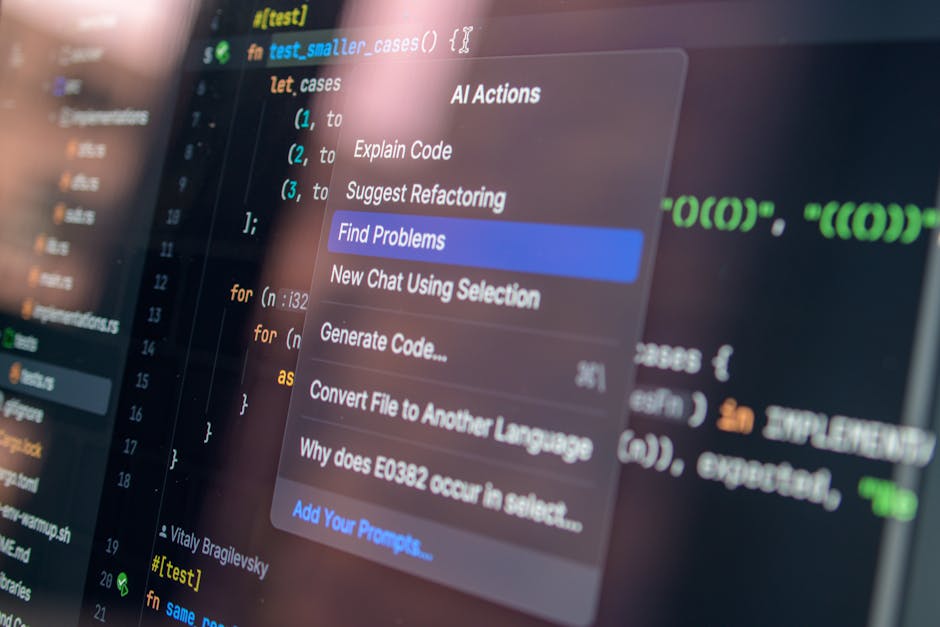
To understand why voice AI matters so much for small sales teams, you need to understand where productivity actually goes. Research consistently shows that the average knowledge worker loses 23 minutes of focused work time every time they switch context — open a different app, navigate to a new screen, start a new task. For sales reps, CRM data entry is a constant source of context switching.
You finish a call with a prospect. You need to update the deal stage. You need to add a call note. You need to set a follow-up task. You need to send a follow-up email. Each of these actions requires opening the CRM, navigating to the right record, clicking through menus, and typing. For a rep making ten to twenty meaningful interactions per day, this administrative overhead can consume sixty to ninety minutes — time that could be spent on actual selling or outreach.
Voice AI Eliminates the Keyboard Bottleneck
Voice AI doesn't just speed up CRM data entry — it eliminates the context switch entirely. Instead of stopping what you're doing to open a CRM and click through screens, you speak: "Add a note to the Cascade Ventures deal: they asked about custom integrations, send me a reminder to follow up Thursday." An AI-native CRM handles all of that in one voice command and confirms the action while you're already on to the next task.
The hands-free use case is particularly powerful for field sales, real estate, financial services, and any role that involves physical movement throughout the day. A field sales rep who just left a client meeting can update the CRM from the parking lot before they even start driving. A consultant who just ended a call can log notes, set a follow-up, and trigger a sequence in thirty seconds of natural speech while walking to their next meeting.
Two-Way Voice AI: The Critical Difference
The difference between voice-to-text CRM tools and PipeCrush's two-way voice AI is fundamental. Voice-to-text tools — including some that CRMs market as "voice AI" — simply transcribe what you say and dump it into a note field. The human still has to navigate to the right record, verify the transcription, and take any action.
Two-way voice AI means the CRM understands intent, executes the action, and responds. When PipeCrush's voice AI confirms "Done — I've updated the deal stage to Proposal Sent and created a follow-up task for Thursday at 9am. Want me to also send the proposal template to the contact?" — that's a fundamentally different interaction that eliminates multiple manual steps and surfaces contextually relevant next actions. This two-way architecture is what separates the best ai crm for small business from platforms that simply added a microphone icon.
The 32 Tool Calls Behind the Voice
PipeCrush's voice AI works through a sophisticated routing architecture. When you speak a command, the system classifies your intent into one of 9 categories — Leads, Deals, Tickets, Customers, Appointments, Email and Sequences, Marketing, Tasks, or Navigation — and then selects from 32+ specific tool calls to execute the right action. This means the system can handle nuanced commands that span multiple actions: "Find all leads who opened our demo email last week but didn't book, add them to the Q2 follow-up sequence and create a task for me to review responses Friday."
That single voice command might trigger four separate tool calls: a lead search, a sequence enrollment for each matching lead, a batch sequence trigger, and a task creation. The voice AI handles the orchestration automatically and reports back the result. No other platform claiming to be the best ai crm for small business can match this level of voice-driven orchestration.
For a complete analysis of how voice AI is reshaping CRM interaction patterns, see our voice-first CRM guide.
How to Choose the Right AI CRM for Your Small Business
Not every team has the same priorities. Use this framework to identify which platform on this list fits your situation best:
Decision Framework
If you need maximum AI automation and voice control for your small business and voice control:
Choose PipeCrush. No other platform offers two-way voice AI, 32+ tool calls, AI sequences, AI chatbots, AI receptionist, and a unified platform at small business pricing. If AI is a core capability requirement rather than a nice-to-have, the choice is clear.
If you need enterprise-grade customization and have Salesforce admins:
Choose Salesforce. The platform's depth and customizability are unmatched for complex enterprise sales processes, though you'll pay significantly and wait for Agentforce to mature before getting meaningful voice AI capabilities.
If you need a massive marketing ecosystem and have a $5,000+/month budget:
Choose HubSpot. Its ecosystem, integrations, and marketing platform are genuinely best-in-class for enterprise marketing teams. Breeze AI will continue improving and may close the gap on autonomous AI features over time.
If you run phone-heavy outbound sales with 20+ calls per day per rep:
Consider Close for its calling infrastructure, supplemented by PipeCrush for AI sequences and chatbots if your budget allows a two-tool approach. Alternatively, PipeCrush handles calling needs through AI receptionist for inbound.
If you're extremely budget-constrained and need 45+ apps:
Zoho One at $45/user/month covers more software categories than any other option on this list. Accept the dated UX and shallower AI in exchange for the breadth. Not the best ai crm for small business if AI depth matters.
If you live in Google Workspace and need CRM inside Gmail:
Copper is the natural fit, though plan for separate tools to cover marketing automation, support, and AI features that Copper doesn't include. Not a contender for best ai crm for small business if you need AI capabilities.
For broader guidance on CRM selection beyond AI capabilities, see our small business CRM guide.
What to Ask Before Buying an AI CRM
Every CRM vendor in 2026 claims AI capabilities. The difference between marketing and reality is significant. Before committing to any platform, ask these questions to separate genuine AI from rebranded automation:
Questions About AI Execution
Can your AI execute CRM actions, or does it only suggest them? The distinction matters more than any feature list. An AI that suggests "you should follow up with this lead" still requires you to open the record, write the email, and click send. An AI that executes the follow-up when you say "send a follow-up to Acme Corp" eliminates three steps and sixty seconds of work per interaction. Multiply that across twenty interactions per day and the time savings are substantial.
Does your AI support voice commands that execute real CRM actions? Voice-to-text transcription is not voice AI. If the vendor says "yes, we have voice" but the feature only transcribes speech into a note field, that is dictation software from 2015 with a new label. True voice AI means you speak a command, the CRM executes it, and the AI confirms the result. Ask for a demo of a multi-step voice command: "Create a deal, assign it to me, and set a follow-up task for next week." If the vendor cannot demonstrate that flow end to end by voice, their voice AI is not production-ready.
How many distinct actions can your AI perform? The number matters because it determines whether the AI can handle your actual daily workflow or only a narrow subset. A CRM with three AI actions — suggest next steps, draft an email, and summarize a call — is useful but limited. A CRM with thirty-plus tool calls across lead management, deal tracking, email sequences, appointment booking, ticket creation, and dashboard navigation can replace the manual overhead of an entire workday.
Questions About AI Architecture
Is the AI native to the platform, or is it a third-party integration? Native AI has access to all your CRM data and can act on any record type. Bolt-on AI typically has limited data access and can only perform actions within its specific integration scope. Ask where the AI model runs, what data it can access, and whether it can trigger actions across different CRM modules — leads, deals, tickets, and campaigns — from a single command.
Does the AI require a higher pricing tier? Many CRMs gate their most useful AI features behind Professional or Enterprise tiers that cost three to ten times more than the basic plan. HubSpot's Breeze features are most capable at Professional tier and above, starting at $890 per month. Salesforce Einstein requires Enterprise licensing at $150 or more per user per month. Ask specifically which AI features are available at the pricing tier your team can afford. If the vendor's demo shows Enterprise-tier AI but your budget allows Starter, you are evaluating a product you will not actually use.
What happens to the AI when you cancel? Some platforms embed AI so deeply into workflows that canceling means losing automation logic, trained chatbot knowledge, and sequence configurations. Understanding the exit cost helps you evaluate lock-in risk. Platforms that store your data in portable formats and allow configuration export reduce this risk significantly.
Questions About Support and Training
How long does it take to get the first AI feature working? Enterprise CRMs like Salesforce may require weeks or months of configuration and consultant fees before Einstein produces useful results. The ideal AI CRM for a small business should deliver meaningful AI functionality within the first day of setup — whether that is a voice command executing a CRM action, an AI chatbot answering a customer question, or an AI sequence sending its first personalized email.
Can your team train the AI on your specific knowledge base? Generic AI responses frustrate customers. If your support chatbot cannot answer questions specific to your product, pricing, and processes, customers will immediately request a human agent. Ask whether the platform supports custom knowledge base training and how quickly updates to your documentation propagate to AI responses. PipeCrush's chatbot training interface allows immediate knowledge base updates that reflect in AI chatbot responses within minutes.
What does onboarding support look like? A powerful AI CRM that your team cannot figure out how to use is worse than a simple CRM they adopt immediately. Ask about onboarding time, training resources, and whether the vendor provides setup assistance at your pricing tier — not just at Enterprise. Some vendors reserve quality onboarding for their highest-paying customers, leaving small business teams to figure out complex AI configuration from documentation alone.
The Total Cost of AI: Bolt-On vs Built-In
The pricing section of every CRM comparison focuses on subscription costs. For AI CRMs, the subscription is often the smallest part of the total cost. Understanding the full picture requires examining three cost layers:
Layer 1: Subscription Cost
This is the published price per user per month. For a 5-person team:
| Platform | Tier Required for AI | Monthly Cost (5 users) | Annual Cost |
|---|---|---|---|
| PipeCrush | Pro (includes AI receptionist; up to 10 users) | $119 | $1,428 |
| HubSpot | Professional+ | $890+ | $10,680+ |
| Salesforce | Enterprise | $750+ | $9,000+ |
| Close | Professional | $495 | $5,940 |
| Freshsales | Pro | $195 | $2,340 |
| Pipedrive | Professional | $245 | $2,940 |
| Zoho CRM | Professional | $175 | $2,100 |
Layer 2: Missing Feature Cost
Most CRMs on this list do not include email marketing, support ticketing, chatbots, appointment booking, or landing pages. The cost of filling these gaps with separate tools typically adds $200 to $500 per month for a 5-person team. Over a year, that is $2,400 to $6,000 in additional subscriptions that the best ai crm for small business eliminates entirely by including everything natively.
Layer 3: Integration and Ops Cost
Every separate tool requires integration maintenance, data syncing, and workflow configuration. For a typical small business running four to six SaaS tools in their revenue stack, integration maintenance consumes ten to fifteen hours per week of someone's time. At $50 per hour for a junior operations person, that is $2,000 to $3,000 per month in hidden operational cost — often more than the combined subscription fees of all the tools being connected.
When you add all three layers, the total cost of ownership for a fragmented CRM stack with bolt-on AI features often exceeds $3,000 per month for a 5-person team. A unified AI CRM platform that includes all features natively eliminates layers two and three entirely, reducing total cost by sixty to eighty percent. For teams searching for the best ai crm for small business, total cost of ownership matters more than sticker price while delivering deeper AI capabilities.
The Three-Year Cost Projection
Small businesses often evaluate CRM tools based on monthly subscription cost alone, which creates a distorted picture of true investment. Over a three-year period — the typical timeline before a team reevaluates its CRM stack — the cumulative cost differences between platforms become dramatic and reveal which option truly qualifies as the best ai crm for small business.
A 5-person team running HubSpot Professional with Marketing Hub, Sales Hub, and Service Hub at current 2026 pricing will spend approximately $64,000 over three years in subscription costs alone. Add onboarding fees of $6,000 and integration maintenance of roughly $1,500 per month, and the three-year total approaches $118,000.
The same team running Salesforce with Einstein AI capabilities at Enterprise tier will spend approximately $54,000 in subscriptions over three years. Add implementation consulting of $15,000 to $30,000, a part-time administrator at $2,000 per month, and integration costs, and the three-year total ranges from $141,000 to $176,000.
A unified platform like PipeCrush that includes all AI features, support, marketing, and booking at flat-rate pricing can reduce that three-year total by seventy to ninety percent — not by offering less, but by eliminating the integration layer, the missing feature supplements, and the operational overhead that fragment stacks demand. For small businesses searching for the best ai crm for small business, the three-year cost projection is often the most compelling argument for a unified AI-native platform over a legacy CRM with bolt-on capabilities.
The question is not which CRM has the lowest monthly subscription price. The question is which CRM delivers the most AI capability per dollar of total investment over the lifetime of your subscription. By that measure, the best ai crm for small business is the one that eliminates the need for additional tools, additional integrations, and additional operational staff to maintain a functional revenue stack.
Small businesses that run this calculation before choosing a CRM consistently reach the same conclusion: a unified AI-native platform saves more money over three years than the cheapest per-seat CRM on the market. The savings come not from lower subscription costs — though those help — but from eliminating the integration layer that quietly drains budget and operational bandwidth every single month.
Frequently Asked Questions: AI CRM for Small Business
What is an AI CRM?
An AI CRM is a customer relationship management platform that uses artificial intelligence to automate, personalize, and execute CRM tasks rather than simply organizing data for human review. The best AI CRMs in 2026 go beyond AI-assisted suggestions — they actively execute actions like creating records, sending emails, triggering sequences, booking appointments, and answering customer inquiries, all with minimal human input. The ideal AI CRM for small teams specifically balances AI depth with ease of use and pricing appropriate for teams under 50 people.
Which CRM has the best AI features for small business?
PipeCrush has the most comprehensive native AI feature set for small businesses in 2026. It is the only platform with two-way voice AI for CRM control (21+ actions, 32+ tool calls), AI sequences with autonomous personalization, both AI sales and support chatbots, and an AI receptionist — all at flat plan pricing, with the AI receptionist included on the Pro and Business plans. Freshsales and Zoho CRM offer decent AI lead scoring at lower price points if budget is the primary constraint.
What is voice CRM?
Voice CRM refers to the ability to control and interact with a CRM platform using spoken natural language commands. The most basic form of voice CRM is voice-to-text transcription — you speak and it types. The most advanced form, which PipeCrush offers, is two-way voice AI that understands natural language intent, executes real CRM actions (creating deals, updating lead stages, triggering sequences, booking appointments), and communicates back with confirmations and follow-up questions. True voice CRM eliminates keyboard-based CRM data entry and is a core feature of the best ai crm for small business in 2026.
Can you control a CRM by voice?
Yes, with PipeCrush you can control your entire CRM by voice. PipeCrush's voice AI supports 21+ CRM actions across 9 categories: lead management, deal tracking, support tickets, customer records, appointment booking, email and sequences, marketing campaigns, task management, and dashboard navigation. You speak naturally — "Create a deal for Apex Industries at $75,000 in the discovery stage" — and the CRM executes it and confirms. No other small business CRM currently offers this level of voice control, which is why voice capability is central to identifying the best ai crm for small business.
How much does an AI CRM cost for a small business?
AI CRM pricing for small businesses varies dramatically based on how AI features are packaged. HubSpot's meaningful AI features start at $890/month for five users. Salesforce's AI capabilities require $150+/user/month at Enterprise tier. PipeCrush offers flat plan pricing from $29/month: the voice assistant, AI sequences, and chatbots are on every plan, and the AI receptionist is included from the Pro plan at $119/month (10 users) — making it the best ai crm for small business when measuring cost against AI feature depth. Zoho One at $45/user/month offers AI lead scoring (via Zia) at the lowest price point, though the AI depth is more limited.
Is HubSpot's AI worth the price for small businesses?
For small businesses prioritizing AI CRM capabilities at competitive small business pricing, HubSpot's AI is not worth its price premium. Breeze AI, launched in 2024, primarily assists with content generation and basic summarization. It does not execute CRM actions by voice, does not offer AI receptionist capabilities, and does not run autonomous sequences. You're paying enterprise pricing for AI that's catching up to what purpose-built AI CRMs offer at lower price points. If your team has a $10,000+/month software budget and needs HubSpot's marketing ecosystem for reasons beyond AI, that calculus changes.
Does Salesforce Einstein work for small businesses?
Salesforce Einstein in its meaningful form — including predictive AI, Agentforce agents, and advanced automation — requires Enterprise tier licensing at $150+/user/month and significant implementation investment. For a 5-person small business team, the total cost of ownership often exceeds $20,000 in year one when including setup and consulting fees. Einstein's AI is analytically powerful but not designed for the hands-on, fast-moving environment of a small sales team. There are better-valued AI CRM options built specifically for small business use cases.
What's the difference between native AI and bolt-on AI?
Native AI is built into the core architecture of a CRM from the ground up — it has access to all data, can trigger any action, and works seamlessly within the user's workflow. Bolt-on AI is added to an existing CRM via an integration layer, often with limited data access, discrete use cases, and friction in the user experience. PipeCrush's voice AI, for example, can access and act on leads, deals, tickets, appointments, sequences, and campaigns simultaneously because it's native to the platform. A bolt-on AI tool typically has access only to the specific data tables its integration was configured to read.
Which CRM has built-in AI chatbots?
PipeCrush includes two native AI chatbots: an AI sales chatbot for website lead qualification and demo booking, and an AI support chatbot for customer service automation. Both are trained on your knowledge base through PipeCrush's chatbot training interface and log all conversations directly to the CRM. HubSpot, Salesforce, and Zoho offer chatbot capabilities but typically through add-on modules or separate products. Most other platforms on this list have no native chatbot functionality, which limits their candidacy as the best ai crm for small business.
What is an AI receptionist in a CRM?
An AI receptionist is an AI system that handles inbound phone calls using natural voice AI — answering calls, answering common questions, booking appointments, routing callers to team members, and taking messages, with all interactions automatically logged in the CRM. PipeCrush is the only small business CRM in this ranking that includes a built-in AI receptionist. For many small businesses evaluating the best ai crm for small business, this feature can replace a front-desk role or answering service, handling the most common inbound inquiry patterns automatically around the clock.
Can AI replace a sales rep?
AI cannot replace the relationship-building, strategic thinking, and creative problem-solving that define high-value sales work. What AI can replace is the administrative overhead that consumes 30-60% of most sales reps' time: data entry, status updates, routine follow-up emails, sequence enrollment, appointment booking, and call note logging. The top AI CRM platforms automate this overhead so sales reps spend more of their time on what only humans can do — having meaningful conversations and closing deals.
Which CRM is best for a 5-person sales team?
For a 5-person sales team that wants maximum AI leverage, PipeCrush is the clear recommendation as the best ai crm for small business at that team size. Its voice AI, AI sequences, chatbots, and unified platform give a 5-person team the operational capability of a much larger organization. Close is worth considering if your team's primary activity is high-volume outbound calling and you don't need AI sequences or chatbots. Freshsales is a budget-friendly option if AI lead scoring is the primary need and voice AI is not a requirement.
Is GoHighLevel good for SaaS companies?
GoHighLevel is not generally a good fit for B2B SaaS companies. Its shared IP infrastructure creates email deliverability risk, its feature set is optimized for local service businesses and marketing agencies, and its AI capabilities are shallow relative to purpose-built AI CRMs. SaaS companies benefit significantly from separate, pre-warmed sending domains and mailboxes, AI-powered sequences with precise personalization, and support chatbots that can handle product-specific queries — capabilities that PipeCrush delivers natively and GHL does not. See our GoHighLevel alternatives guide for SaaS-optimized options.
What CRM has the best email deliverability?
Email deliverability depends on infrastructure architecture, not just the CRM brand. PipeCrush sends cold email through the optional Sending bundle ($25/month for 1 domain and 4 pre-warmed mailboxes), with automatic warm-up and a daily sending cap on each mailbox, so cold outreach runs on separate domains and never touches your main company domain. Marketing campaigns go out through PipeCrush's email marketing tools. GoHighLevel and some other platforms use shared IP pools that can expose your reputation to other senders' behavior. For detailed guidance on cold email deliverability, see our cold email infrastructure guide.
Should I choose a CRM based on AI features?
In 2026, AI features should be a primary selection criterion for small businesses, not a secondary consideration. The productivity gap between teams using the best ai crm for small business and teams using traditional CRMs is widening every quarter. However, AI feature depth should be evaluated against actual AI depth, not marketing claims. Ask vendors specific questions: Can your AI execute CRM actions by voice? Does your AI sequence personalization adapt to individual lead profiles, or does it use static templates? Can your AI chatbot be trained on custom knowledge? Can your AI handle inbound phone calls?
What is two-way voice AI in a CRM?
Two-way voice AI in a CRM means the AI both listens to your commands and speaks back responses, creating a conversational interaction loop. One-way voice AI takes your spoken input and converts it to text or executes a single pre-defined action. Two-way voice AI understands natural language intent, executes complex multi-step actions, reports back what it did, and asks clarifying questions when needed. PipeCrush's two-way voice AI, for example, will confirm "I've created the deal and set the follow-up task — should I also send the proposal email to the contact?" after executing your initial command.
How many actions can PipeCrush's voice AI perform?
PipeCrush's voice AI supports 21+ distinct CRM actions across 9 intent categories, powered by 32+ tool calls. The 9 categories cover the complete daily workflow of a sales team: Leads (search, create, update, add notes), Deals (create, update stage, add contacts), Tickets (create, update, assign), Customers (look up, update records), Appointments (book, reschedule, cancel), Email and Sequences (send emails, trigger sequences, create new sequences), Marketing (create campaigns, manage landing pages), Tasks (create, batch create, assign), and Navigation (navigate to any dashboard section). This is the most comprehensive voice CRM capability available for small businesses in 2026.
Which CRM includes support, sales, and marketing together?
PipeCrush is the only platform in this ranking that includes all three — sales CRM, email marketing, and support ticketing — in a single native platform without requiring add-on subscriptions. HubSpot offers all three but requires separate hub subscriptions (Sales Hub + Marketing Hub + Service Hub) that together cost significantly more than a single PipeCrush subscription. Zoho One bundles many apps but the integration quality between them varies. All other platforms on this list require multiple tools to cover all three functions.
What's the cheapest all-in-one CRM with AI?
Zoho One at approximately $45/user/month offers the most software breadth per dollar and includes Zia AI for predictions and lead scoring. However, Zia's AI depth is shallow compared to PipeCrush's native AI across voice control, sequences, chatbots, and receptionist. PipeCrush offers flat plan pricing with its core AI features on every plan and the AI receptionist from the Pro plan — positioning it as the best ai crm for small business by value — making it the most cost-effective option when you measure cost against AI feature depth rather than raw per-seat price. For teams where AI capability per dollar is the key metric, PipeCrush wins. For teams where total software breadth per dollar is the key metric (including non-AI apps like HR and accounting), Zoho One wins.
Is Copper CRM still worth using in 2026?
Copper CRM remains worth using in 2026 for a specific and narrow use case: very small teams (2-5 people) who are fully committed to Google Workspace, have minimal AI requirements, and want the most frictionless CRM integration possible within Gmail. For this specific user, Copper delivers on its promise elegantly. For any team that needs AI sequences, voice CRM, chatbots, marketing automation, support ticketing, or a platform with a clear AI development roadmap, Copper's limitations make it a poor long-term choice. The platform's sunsetting of some features suggests the investment in new AI capabilities will not match more AI-focused competitors.
Final Verdict: The Best AI CRM for Small Business in 2026
The CRM market in 2026 has a clear dividing line: platforms that use AI as an analytics and suggestion layer, and platforms that use AI as an execution layer. The former category includes most of the well-known names — HubSpot, Salesforce, Pipedrive, Zoho — which have added AI features that help you understand your data and draft content. The latter category, where AI actually does work in the CRM on your behalf, is led by PipeCrush.
For small businesses, the execution gap matters most. When your team has five or ten people doing the work of twenty, you cannot afford to spend sixty minutes per day on CRM data entry, sequence enrollment, and follow-up emails. The best ai crm for small business is one that handles that administrative layer autonomously — by voice, by trigger, by AI chatbot, by AI receptionist — so your team spends their hours on the work that only humans can do.
PipeCrush's combination of two-way voice AI (21+ CRM actions, 32+ tool calls across 9 categories), AI sequences, AI chatbots, AI receptionist, and unified platform at small business pricing is the most complete AI CRM package available for small teams in 2026. It ranks first as the best ai crm for small business not because its competitors are weak — several of them are excellent platforms for specific use cases — but because its AI depth, platform breadth, and pricing alignment for small teams are collectively unmatched.
The CRM lists from 2024 are already obsolete. If you're choosing a CRM for your small business in 2026, choose one that was built for the AI age, not one that's adapting to it.
Ready to see the leading AI CRM for small teams in action? Explore PipeCrush's CRM platform, including AI sequences, AI sales chatbot, AI support chatbot, AI receptionist, and deal pipeline management — all in one unified platform.