
SaaS vs Agency Architecture: Why Your CRM's "DNA" Matters for Deliverability
Introduction: The Email That Never Arrived
Sarah's cold email sequence was perfect. She'd spent weeks crafting personalized messages to 200 carefully researched enterprise prospects. Her open rates started strong at 45%, meetings booked, pipeline growing. Then, three months in, her emails just... stopped working.
Open rates dropped to 8%. Reply rates vanished. Her carefully constructed sales machine ground to a halt. Support told her "your content must have changed" and "try different subject lines." But Sarah knew better—her content was identical to what worked before.
The real problem? Her CRM platform was sending emails through a shared IP address pool. One of the thousands of other customers on that same IP had been flagged for spam. Now Sarah's legitimate B2B outreach was paying the price.
This isn't a story about bad luck. It's a story about platform architecture—the fundamental technical decisions made by your CRM's engineering team years before you signed up. These decisions create a ceiling on your email deliverability that no amount of "better copywriting" or "warmed-up domains" can overcome.
Deliverability isn't a settings problem. It's an infrastructure problem.
This guide explains the two dominant CRM architecture patterns—agency-first and SaaS-first—and why that distinction determines whether your cold emails reach inboxes or die in spam folders. You'll learn how to audit your current platform's infrastructure, recognize the warning signs of shared IP problems, and understand what "built for B2B" actually means at the technical level.
If you're a B2B founder doing cold email outreach and your deliverability has mysteriously declined, this article will explain why—and what to do about it.
Part 1: The Two CRM Architectures

Every CRM platform on the market today was built to solve a specific problem for a specific customer. That original customer and their problem shaped every architectural decision that followed. Understanding who the platform was built for tells you everything about how it will perform for your use case.
There are two dominant architecture patterns in modern CRMs, each optimized for fundamentally different outcomes.
Agency-First Platforms (GHL, et al.)
Agency-first platforms were built to solve this problem: "How can a marketing agency serve hundreds of small business clients efficiently?"
The typical customer is a marketing agency that sells done-for-you services to local businesses—dentists, gyms, contractors, real estate agents, consultants. These agencies need to send emails on behalf of their clients, but they also need to white-label everything so it appears to come from the agency's brand.
The business model is volume. An agency might have 50-200 clients, each paying $500-2,000/month. The platform needs to make it economically viable to serve all those clients from a single account, with minimal per-client infrastructure costs.
Key characteristics of agency-first architecture:
White-label everything: The platform allows agencies to rebrand the entire system with their own logo, domain, and support contact. End clients never see the underlying platform's name.
Shared infrastructure: To keep costs down at scale, resources are pooled across customers. Email sending IPs, database infrastructure, even some sending domains are shared among hundreds or thousands of users.
Target audience assumptions: The platform assumes emails are going to warm audiences—people who opted into a newsletter, downloaded a lead magnet, or inquired about services. Cold outreach to corporate decision-makers isn't the primary use case.
Agency intermediary model: Support flows through the agency, not directly to end users. The platform's documentation and training are designed for agency operators who will then train their clients.
Feature breadth over depth: Agencies need lots of features to serve diverse client needs—appointment booking, review management, SMS campaigns, social media scheduling. Each feature does "enough" but rarely excels.
This architecture serves its intended market beautifully. A local marketing agency can onboard a new chiropractic client, set up their email campaigns, and manage everything from one dashboard without requiring separate infrastructure. It's cost-effective and feature-rich.
The problem starts when B2B SaaS companies try to use these platforms for cold email outreach to enterprise prospects.
SaaS-First Platforms
SaaS-first platforms were built to solve a different problem: "How can a software company reliably reach cold enterprise prospects via email?"
The typical customer is a B2B SaaS startup, software consultancy, or technology services firm. They're sending emails to people who have never heard of them—cold outreach to decision-makers at target companies. Their success depends entirely on inbox placement rates.
The business model is quality. A SaaS company might send 500 cold emails per week but needs a 40%+ open rate and 5-10% meeting booking rate to make the economics work. A 50% drop in deliverability means a 50% drop in pipeline.
Key characteristics of SaaS-first architecture:
Tenant isolation: Each customer's sending infrastructure is isolated from other customers. Your email reputation doesn't depend on other users' behavior.
Dedicated or isolated IPs: Either every customer gets dedicated sending IPs, or IP pools are carefully segmented to prevent reputation contamination.
B2B cold email optimization: Every default setting, rate limit, and monitoring system is tuned for cold outreach patterns—lower volume, higher scrutiny, corporate spam filters.
Direct access model: You interact directly with the platform's technical team. No agency intermediary. Deliverability issues get diagnosed by people who understand email infrastructure at the technical level.
Feature depth over breadth: The platform does fewer things, but does them exceptionally well. Email deliverability monitoring, sequence optimization, and inbox placement are core competencies, not checkboxes.
This architecture is more expensive to build and operate. Dedicated infrastructure per customer costs more than shared pools. But for B2B companies where every email that lands in spam is a lost deal, the economics justify the cost.
Why Architecture Matters
Here's what most people don't understand: you can't retrofit architecture.
If a platform was built five years ago on shared IP infrastructure, adding a "dedicated IP" option doesn't fundamentally change the platform's DNA. The monitoring systems, abuse detection, support processes, and default configurations were all designed for the shared model.
Similarly, a platform designed for warm marketing emails to opted-in audiences can add "cold email" as a feature, but the underlying systems still expect engagement patterns that cold emails don't generate.
You inherit the platform's priorities. An agency-first platform will always prioritize features that help agencies manage more clients efficiently. A SaaS-first platform will always prioritize deliverability and inbox placement.
The question isn't "which platform has more features?" The question is "which platform's engineering team wakes up every morning trying to solve the same problems I have?"
The DNA Analogy
Think of platform architecture like DNA. It determines what the organism can become.
Agency DNA asks: "How can we serve 1,000 small businesses as cheaply as possible?"
This question leads to:
- Shared infrastructure to minimize costs
- White-label flexibility for resellers
- Broad feature sets for diverse client needs
- Support systems designed for agency intermediaries
SaaS DNA asks: "How can we maximize inbox placement for cold emails to enterprise prospects?"
This question leads to:
- Isolated sending infrastructure to protect reputation
- B2B-optimized rate limiting and monitoring
- Direct technical support from deliverability experts
- Deep expertise in corporate spam filters
Both platforms can add features. Both can improve over time. But the foundational questions that shaped their architecture remain unchanged.
When you're evaluating CRM platforms, don't just look at the feature list. Ask: "What problem was this platform originally built to solve?" The answer determines whether it will solve your problem.
Part 2: The Shared IP Pool Problem

The most consequential architectural decision any email platform makes is how they handle sending IP addresses. This single choice determines the ceiling on your deliverability.
To understand why, you need to understand how email reputation works at the infrastructure level.
What is a Shared IP Pool?
When you send an email through a platform, that email originates from an IP address—a numerical identifier that says "this email came from this server." Email providers like Gmail, Outlook, and corporate Exchange servers track the reputation of every IP address they see.
A shared IP pool means multiple customers of the platform send emails from the same IP address. It's like an apartment building—many people share the same mailing address.
From the platform's perspective, shared IPs are economically efficient:
- Fewer IP addresses to manage and monitor
- Lower infrastructure costs per customer
- Easier to achieve sending volume (which helps IP reputation)
- Simpler systems to build and maintain
For customers sending warm marketing emails to engaged audiences, shared IPs work fine. Everyone in the "building" is sending legitimate emails, spam filters see consistent engagement, and the IP maintains good reputation.
The problem emerges when you mix cold outreach with marketing emails, or when you put B2B senders in the same pool as B2C senders.
How Reputation Works
Email reputation is predictive, not reactive. Spam filters don't just ask "is this specific email spam?" They ask "based on past behavior from this IP address, what's the probability this email is spam?"
Every email sent from an IP address updates that IP's reputation score:
- High engagement (opens, replies, forwards) → reputation improves
- Low engagement (unopened, deleted quickly) → reputation declines slightly
- Spam complaints, bounces, spam trap hits → reputation drops significantly
The reputation system is designed to answer: "Should I trust emails from this sender?"
When 100 customers share one IP address, the spam filter doesn't distinguish between them. It sees one sender. Your reputation is the average of all 100 customers' sending behavior.
This works fine when everyone is roughly similar. It fails catastrophically when sending patterns diverge.
The Math Problem
Here's the math that destroys deliverability on shared IP platforms:
Scenario: 100 customers share one sending IP.
Week 1: All 100 send legitimate emails to their audiences. The IP reputation is good. Deliverability is 90%+ for everyone.
Week 2: Customer #47 decides to send a high-volume campaign to a purchased email list. The list is old, full of invalid addresses and spam traps. Bounce rate is 30%, spam complaint rate is 5%.
What happens to the IP reputation?
The IP's reputation score drops. Significantly. One customer's behavior affected the IP's aggregate metrics:
- Bounce rate for the IP increased
- Spam complaint rate for the IP increased
- Engagement rate for the IP decreased
Week 3: Gmail and Outlook see this IP's reputation decline. They start filtering emails from this IP more aggressively. Now legitimate emails from the other 99 customers hit spam folders or get rejected entirely.
Customer #1 (you) did nothing wrong. Your email content is perfect. Your audience is engaged. But your deliverability just dropped from 90% to 40% because you share an IP with customer #47.
The platform might eventually identify and remove customer #47. But the damage is done. IP reputation recovers slowly—it can take weeks or months to rebuild what was lost in days.
Why Agency Platforms Use Shared Pools
Let's be clear: shared IP pools aren't a mistake or a corner-cutting decision. For agency platforms serving their intended market, shared IPs are the correct choice.
Here's why:
Cost efficiency: Dedicated IP addresses cost money to provision, maintain, and monitor. When you're serving thousands of small business clients at $50-200/month each, dedicated IPs per client would make the economics impossible.
Volume aggregation: Small businesses don't send enough email to maintain IP reputation on their own. A local dentist sending 200 emails per month wouldn't generate enough volume to properly "warm" a dedicated IP. Shared pools aggregate volume.
Simpler infrastructure: Managing thousands of dedicated IPs, each with its own warming schedule, reputation monitoring, and deliverability tracking, is operationally complex. Shared pools are easier to manage.
Target market fit: The agency's clients (local businesses) are sending warm marketing emails to people who opted in. These emails have high engagement rates naturally. The "noisy neighbor" problem is less likely when all neighbors are similar.
For a marketing agency sending newsletters to opted-in subscribers for a yoga studio, shared IPs work perfectly.
The problem is when the platform tries to serve two fundamentally different use cases on the same infrastructure.
Why It's Unacceptable for B2B Cold Email
B2B cold email to corporate decision-makers is a completely different sending profile than local business marketing:
Corporate spam filters are more aggressive: Microsoft 365 and Google Workspace have sophisticated abuse detection systems. They scrutinize cold emails far more than consumer Gmail. A reputation hit that barely affects consumer delivery can devastate corporate delivery.
Cold email has lower baseline engagement: By definition, you're emailing people who don't know you. Open rates of 30-50% are good for cold email. But to a spam filter, that looks like low engagement. You need pristine IP reputation to overcome this.
You can't afford reputation contamination: B2B sales cycles are long. If your deliverability drops for two weeks because of another customer's behavior, you've lost deals. Pipeline damage compounds.
Recovery takes too long: If your shared IP gets flagged, you're at the mercy of the platform's remediation process. Even after the bad actor is removed, warming the IP back up takes weeks. Can your business survive a month of 40% deliverability?
The failure mode is predictable:
- You start on a fresh shared IP, deliverability is good
- You build pipeline, everything works
- Another customer on your shared IP does something flagged as spam
- Your deliverability tanks overnight
- Support tells you it's your content or domain (it's not)
- You waste weeks troubleshooting the wrong problem
- By the time you realize it's the shared IP, your pipeline has dried up
This isn't hypothetical. It's the most common deliverability failure pattern for B2B companies using agency-first platforms.
Part 3: The White-Label Tax
Agency-first platforms offer white-label capabilities as a core feature. Agencies can rebrand everything—the dashboard, the domain, the support email, even the login page. To end clients, it looks like the agency built custom software.
This is brilliant for agencies. It's terrible for deliverability troubleshooting.
What White-Labeling Really Means
White-labeling creates a three-party relationship:
- The platform: Builds and maintains the infrastructure
- The agency: Resells access to end clients, provides support
- The end user: Pays the agency, uses the platform
The platform makes money from the agency. The agency makes money from the end user. The end user doesn't even know the underlying platform exists.
This works fine when everything operates smoothly. It becomes a disaster when deliverability breaks.
The Support Problem
When your emails start hitting spam folders, diagnosing the issue requires deep infrastructure access:
- What IP addresses are being used?
- What's the reputation history of those IPs?
- Are there recent spam complaints or bounces?
- What's the volume pattern from other users on the same infrastructure?
- Have any IPs been blacklisted recently?
With white-labeling, you don't have direct access to the platform. Your support flow looks like this:
You → Agency → Platform → Agency → You
Each hop adds delay and loses context:
- You to Agency: "My emails are going to spam. What's wrong?"
- Agency to Platform: "Client's emails hitting spam. Need help."
- Platform to Agency: "Check their domain authentication and content."
- Agency to You: "They say to verify your SPF records."
The platform's support team is answering the agency's question, not yours. They don't have your context. They don't know you've already checked SPF. They don't know this is a B2B cold email use case, not a marketing newsletter.
Meanwhile, days pass. Your pipeline stalls. Deals slip.
When the issue really is shared IP reputation (which the platform won't readily admit), the agency often lacks the technical knowledge to push back. They accept the platform's diagnosis and relay it to you.
You're troubleshooting blind.
The Configuration Problem
Platforms optimize their default settings for their primary customer: the agency.
These defaults might include:
- Rate limits set for high-volume marketing sends, not carefully paced cold email
- Engagement tracking optimized for newsletter metrics, not B2B sales sequences
- Spam detection tuned to prevent obvious newsletter spam, not protect IP reputation for cold outreach
- Monitoring dashboards showing agency-relevant metrics, not deliverability signals you need
The agency layer adds another set of defaults:
- Template restrictions to maintain their brand standards
- Sending windows to prevent clients from blasting emails at odd hours
- Content filters to prevent clients from damaging the agency's reputation
These restrictions serve the agency's needs. They may not serve yours.
In a SaaS-first platform, you configure everything directly. You can set rate limits based on your warming schedule. You can adjust sending patterns based on your audience's timezone. You control the entire stack.
In a white-labeled agency platform, you're working within constraints designed for someone else's use case.
The Accountability Problem
When deliverability fails on a white-labeled platform, a blame cycle emerges:
You to Agency: "Why are my emails hitting spam?"
Agency to Platform: "Why is this client having deliverability issues?"
Platform to Agency: "Their domain authentication is fine, IP reputation is stable, must be their content or targeting."
Agency to You: "Platform says your content needs work. Try different subject lines."
You: "But my content hasn't changed, and it worked last month..."
The agency doesn't have the technical depth to challenge the platform's diagnosis. The platform doesn't want to admit shared IP reputation is the issue (it makes their architecture look bad). You're stuck in the middle with no way to get to ground truth.
Compare this to direct platform access:
You to Platform: "Deliverability dropped. Here's my sending data from the last 30 days."
Platform to You: "I see the issue. Your shared IP was flagged three days ago. We're moving you to a clean IP and implementing dedicated sending for your account."
Direct accountability. Clear diagnosis. Fast resolution.
The white-label layer exists to benefit agencies, not end users. When technical issues arise, that layer becomes a liability.
Part 4: B2B Email is Different
The single biggest misunderstanding in email platform selection is assuming all email is the same. It's not. The difference between B2B cold email and B2C marketing email is profound—and platforms built for one often fail catastrophically at the other.
Understanding these differences explains why agency-first platforms struggle with B2B outreach.
Cold Email vs Marketing Email
Marketing email goes to people who opted in. They downloaded your lead magnet, subscribed to your newsletter, or bought your product. They're expecting to hear from you. The relationship already exists.
Spam filters treat opted-in email generously:
- Prior engagement creates positive reputation
- Subscriber lists have clean email hygiene (people who want your emails don't bounce)
- Higher open rates signal legitimate sender
- Fewer spam complaints because people asked for this
Cold email goes to people who've never heard of you. You researched them, identified them as a fit for your product, and reached out. No prior relationship exists.
Spam filters treat cold email skeptically:
- No prior engagement history
- Recipient didn't request this communication
- Lower open rates are normal (30-50% is excellent)
- Higher likelihood of "report spam" from annoyed recipients
- Pattern looks similar to actual spam
The same email content sent to an opted-in list and a cold list will have dramatically different deliverability outcomes. The difference isn't content—it's context.
Agency-first platforms optimize for marketing email patterns. When you send cold email through infrastructure tuned for high-engagement opted-in sends, the platform's monitoring systems flag you as an anomaly.
Corporate Email Filters
Consumer email providers (Gmail for personal accounts, Yahoo, etc.) and corporate email systems (Microsoft 365, Google Workspace for business) use different filtering strategies.
Consumer filters focus on obvious spam:
- Phishing attempts
- Malware attachments
- Mass marketing from known bad senders
- Egregious subject line tricks
They're relatively lenient because consumers sign up for lots of marketing emails. False positives (legitimate email in spam) frustrate users.
Corporate filters are paranoid by design:
- Assume unsolicited email is dangerous until proven otherwise
- Aggressive filtering of cold outreach
- Sophisticated pattern detection for business email compromise
- Additional layers: gateway filters, on-premise systems, third-party security tools
Corporate IT departments optimize for security over convenience. A CEO's inbox is a high-value target. Better to block legitimate cold emails than let one phishing attempt through.
This is why your cold email to prospects@gmail.com has 60% open rates, but prospects@companyname.com has 15% open rates. Same content, different filtering infrastructure.
B2B cold email platforms must understand corporate filter behavior:
- How Microsoft 365 categorizes bulk vs transactional email
- What Google Workspace's AI looks for in suspicious patterns
- How on-premise Exchange servers handle sender reputation
- What DMARC policies corporate domains enforce
Agency platforms optimized for local business marketing don't need this expertise. Their customers email consumers, not corporate inboxes.
The Engagement Trap
Email reputation systems use engagement as a trust signal. High engagement (opens, clicks, replies) signals legitimate email. Low engagement signals possible spam.
This creates a trap for cold email:
Marketing email baseline: 40-60% open rates, 5-15% click rates
Cold email baseline: 30-50% open rates, 1-5% response rates
To a reputation system that expects marketing email engagement patterns, cold email looks suspicious. You're sending to many people who don't open or click. The algorithm can't distinguish "this is legitimate cold outreach with normal engagement" from "this might be spam with low engagement."
Platforms built for cold email understand this. Their reputation monitoring systems are calibrated for lower engagement patterns. They don't flag a 35% open rate as concerning—they understand that's excellent for cold outreach.
Agency platforms expect higher engagement because their primary use case (local business marketing to opted-in audiences) naturally generates it. When you send cold email, you're operating outside the expected pattern.
The platform's automated systems may:
- Rate-limit your sending (thinking you're a spammer)
- Flag your account for manual review
- Apply additional filtering to your content
- Warn you about low engagement metrics
All because the platform's systems are tuned for the wrong baseline.
Volume Patterns Matter
The same volume of email can be legitimate or suspicious depending on context. Email filters understand this, but the interpretation varies.
Scenario 1: A local pizza shop sends 10,000 emails announcing a weekend special to their newsletter subscribers.
- Spam filter assessment: Legitimate. Opted-in audience, expected communication, prior engagement history.
Scenario 2: A B2B SaaS company sends 500 cold emails to enterprise CTOs at Fortune 500 companies.
- Spam filter assessment: Suspicious. No prior relationship, corporate recipients, pattern resembles business email compromise.
Same IP address? Now the pizza shop's volume creates a "high volume sender" reputation that affects the SaaS company's cold emails. Corporate filters see "this IP sends 10,000+ emails per day" and apply stricter filtering to everything from that IP.
The SaaS company's cold emails get caught in filters designed to stop mass marketing—even though 500 emails per day is tiny compared to legitimate marketing volume.
Platform architecture needs to account for this:
- Shared IP pools: Mix different sending profiles, creating reputation confusion
- Isolated infrastructure: Each customer's volume and pattern are independent
When a B2B cold email sender shares IP infrastructure with thousands of local business marketers, their sending profile becomes invisible. Spam filters see the aggregate pattern, not the individual user.
This is why "we've never had deliverability issues" from an agency platform isn't reassuring. Their bulk of users are sending warm marketing emails. Your cold outreach use case is the exception their infrastructure wasn't designed for.
Part 5: Auditing Your Current Platform

If you're experiencing deliverability issues—or want to prevent them—you need to understand your platform's actual infrastructure, not just its marketing claims.
Most platforms are deliberately vague about their email sending architecture. "Enterprise-grade deliverability" and "industry-leading inbox placement" are marketing terms that reveal nothing about how the system actually works.
Here are the specific questions to ask, and what the answers tell you.
Questions to Ask Your Platform
1. IP Infrastructure
Ask: "Are emails sent from shared IP addresses or dedicated IPs?"
What you want to hear: "Each customer gets dedicated IPs" or "We offer dedicated IPs as standard" or "You're on isolated IP pools with fewer than 10 customers."
Red flags: "We use industry-standard shared pools," "Shared IPs help with volume requirements," "Dedicated IPs are available for enterprise customers" (meaning: you're on shared by default).
Follow-up: "How many customers share my sending IP?"
What you want to hear: A specific number under 50, or "You're isolated."
Red flags: "We can't share that information," "It varies," "Hundreds or thousands" (they probably don't even know).
Follow-up: "What's the reputation history of my sending IP?"
What you want to hear: They can immediately pull up the IP, show you reputation scores from Sender Score or similar services, and give you historical trends.
Red flags: "We monitor that internally," "Your domain reputation matters more," "We handle that for you" (they don't want you looking).
Follow-up: "Can I get a dedicated IP? What does it cost?"
What you want to hear: "Yes, $50-200/month" or "It's included."
Red flags: "Not available," "$500+/month" (pricing to discourage), "You don't need it" (we don't want to support it).
2. Tenant Isolation
Ask: "How is my sending infrastructure isolated from other customers?"
What you want to hear: Specific technical explanation: "Each customer has isolated database records, separate IP pools, independent sending queues, and monitoring."
Red flags: "We use best practices," "Industry-standard security," vague non-technical responses.
Follow-up: "What happens if another customer on my shared IP sends spam?"
What you want to hear: "You're not on shared IPs" or "We have real-time abuse detection and immediate isolation."
Red flags: "That doesn't happen often," "We monitor for that," "Your reputation is separate" (it's not if you share an IP).
Follow-up: "How quickly can you identify and isolate bad actors on shared infrastructure?"
What you want to hear: "Real-time automated detection within minutes" with specific examples of their abuse prevention system.
Red flags: "We review accounts regularly," "Our support team handles that," "Within 24-48 hours" (too slow—damage already done).
3. Abuse Prevention
Ask: "What proactive measures prevent email abuse on your platform?"
What you want to hear: Specific technical controls: "Content scanning, rate limiting, bounce monitoring, spam trap detection, mandatory authentication, volume velocity checks."
Red flags: "We have policies against spam," "Users agree to terms of service," relying on post-facto enforcement rather than proactive prevention.
Follow-up: "Is there automated content scanning before emails are sent?"
What you want to hear: "Yes, we scan for spam patterns, dangerous links, and content likely to trigger filters."
Red flags: "We respect user privacy" (no scanning), "Only if reported," "Manual review" (doesn't scale).
Follow-up: "Are there automatic volume limits per account?"
What you want to hear: "Yes, new accounts start with low limits that increase based on engagement and reputation."
Red flags: "You can send as much as you want," "Only for trial accounts," "No limits" (means no abuse prevention).
Follow-up: "What's your process when deliverability issues occur?"
What you want to hear: "We have detailed logs, can identify the issue within hours, provide specific remediation steps, and can move you to clean infrastructure if needed."
Red flags: "Check your content and domain authentication" (they don't actually know), "It's usually user error" (they don't take responsibility).
4. Architecture & Target Market
Ask: "Who is this platform primarily built for?"
What you want to hear: "B2B SaaS companies doing cold email" or "Software companies with outbound sales teams."
Red flags: "Marketing agencies," "Small businesses," "We serve all markets" (they don't specialize).
Follow-up: "What percentage of your customers do B2B cold email to corporate domains?"
What you want to hear: "50%+ of our customer base" or "That's our primary use case."
Red flags: "We support that use case" (not the same as primary), "Some customers do," "We can't share customer data" (evasive answer suggests it's rare).
Follow-up: "What's your platform's average spam complaint rate?"
What you want to hear: "Under 0.1%" with willingness to show you platform-wide metrics.
Red flags: "We don't track that," "Within industry standards," "That's customer-dependent" (they don't want to share).
Follow-up: "Can I see documentation about your sending infrastructure?"
What you want to hear: "Yes, here's our technical architecture doc, IP warming guide, and deliverability best practices."
Red flags: "We keep infrastructure details private," "Available for enterprise customers only," "Contact sales" (there is no documentation).
Red Flags to Watch For
Beyond the specific questions, these responses should concern you:
"We use industry-standard shared IP pools": Translation: "We do what's cheapest and easiest, not what's best for deliverability."
"Deliverability depends on your content and domain": True, but incomplete. They're deflecting from infrastructure factors they control.
"We can't share infrastructure details for security reasons": Absurd. IP addresses are public information. They don't want you looking closely.
"Our agency partners handle that": You don't have direct platform access, which will hurt during troubleshooting.
"You don't need a dedicated IP until you hit X volume": False. You need isolated infrastructure from day one if you're doing B2B cold email.
Unable to provide IP reputation data: Any serious email platform monitors IP reputation constantly. Refusal to share means either they don't monitor it or the numbers are bad.
"That's not how our system works": Evasive non-answer. They're not willing to explain how it does work.
Green Flags
These responses indicate a platform built for B2B cold email:
Clear, specific technical explanation without jargon or evasion. They understand their infrastructure and explain it clearly.
Proactive monitoring and abuse prevention: They describe specific technical controls, not just policies.
Direct access to deliverability data: You can see your IP reputation, bounce rates, spam complaints in real-time.
B2B cold email expertise: They reference corporate spam filters, Microsoft 365 quirks, enterprise sending patterns.
Dedicated IP options at reasonable cost: Either included or $50-200/month range, not priced to discourage.
Transparent documentation: They publish technical docs about their infrastructure, even if some details are protected.
Customer base alignment: The majority of their customers are doing similar sending to you.
If your current platform can't or won't answer these questions clearly, you're probably on infrastructure that wasn't built for your use case.
Part 6: The GHL Deliverability Problem
GoHighLevel deserves specific attention because it's the most prominent agency-first platform that B2B companies mistakenly adopt for cold email.
Let's be clear about what GHL is and isn't.
What GHL Does Well
GoHighLevel is an impressive platform for its intended market. If you're a marketing agency serving local businesses, it's arguably the best option available:
Feature-rich for agencies: Appointment booking, review management, SMS campaigns, funnel builders, membership sites, white-label client portals. Everything an agency needs to serve local business clients.
Affordable: At $97-297/month for agency accounts, the economics make sense for agencies managing multiple clients.
White-label customization: Agencies can rebrand everything completely, creating the illusion of custom software.
Large ecosystem: Active Facebook communities, training resources, templates, and third-party integrations.
For a marketing agency that handles email marketing for dentists, gyms, and real estate agents, GHL is an excellent choice. The platform serves that market well.
The problems emerge when B2B SaaS companies try to use GHL for cold email outreach to enterprise prospects.
Where GHL Falls Short for B2B SaaS
Shared Sending Infrastructure
GHL sends email through shared IP pools. When you send an email, it originates from an IP address shared with hundreds or thousands of other GHL users.
You don't get visibility into:
- How many users share your IP
- What those users are sending
- Your IP's reputation history
- When your IP gets flagged or blacklisted
This model works fine when everyone is sending similar email (marketing to warm audiences). It fails when sending patterns diverge.
A B2B SaaS company sending 300 carefully targeted cold emails per week shares infrastructure with agencies sending 100,000+ marketing emails per day. Your sending profile is invisible in the aggregate.
When issues occur, you have no way to diagnose them. "My emails are going to spam" can't be troubleshot without IP-level access.
Agency-Optimized Defaults
GHL's default settings are tuned for marketing email to warm audiences:
Rate limits: Designed for newsletter blasts, not carefully paced cold email sequences.
Tracking pixels: Implemented in ways that corporate spam filters recognize and penalize.
Engagement assumptions: The platform expects high engagement rates typical of opted-in audiences.
Domain configuration: Tutorials and defaults assume you're sending from a business's primary domain, not isolated cold email domains.
These defaults make sense for GHL's primary market. They're wrong for B2B cold email.
You can override some settings, but the platform's architecture wasn't designed with your use case in mind. You're fighting the system.
Support Structure
GHL's support model assumes an agency intermediary. The agency is supposed to be the technical expert who troubleshoots issues for end clients.
When you're a B2B company using GHL directly, you hit limitations:
Deliverability troubleshooting: Support reps aren't email deliverability experts. They'll point you to documentation about SPF records and "improving your content."
Infrastructure questions: Can't get straight answers about IP reputation, shared pool composition, or abuse handling.
Response time: Not designed for "my emails stopped working and I'm losing deals right now" urgency.
Technical depth: Support can help with features and workflows, but deep infrastructure issues go to engineering—and you don't have direct access.
This isn't a criticism of GHL support quality. It's that the support model was designed for agencies, not direct B2B users with complex deliverability issues.
Documentation Gap
GHL has extensive documentation for features. It has almost no technical documentation about email infrastructure:
Missing information:
- How shared IP pools work
- IP warming recommendations for cold email
- Corporate spam filter behavior
- B2B cold email best practices
- Infrastructure troubleshooting guides
Why it's missing: Because GHL's primary users (agencies sending warm marketing email) don't need it.
When you're doing B2B cold email, you need this information. Its absence means you're blind to critical infrastructure factors affecting your deliverability.
Real User Experiences (Anonymized)
These patterns appear repeatedly in Reddit threads, Facebook groups, and migration stories:
Pattern 1 - The Three-Month Cliff: "Started with GHL, deliverability was great for 2-3 months, then suddenly everything went to spam. Support couldn't explain why. Switched to [dedicated sending platform] and problem solved immediately."
Pattern 2 - The Corporate Domain Wall: "Emails to @gmail.com work fine. Emails to @company.com go to spam. Same content, different outcome."
Pattern 3 - The Mysterious Drop: "Open rates dropped from 40% to 8% overnight. Nothing changed in my content or targeting. Moved to dedicated IPs and recovered."
Pattern 4 - The Support Runaround: "Support kept telling me to improve my subject lines and verify SPF. I'd already done all that. Took me weeks to realize the issue was shared IP reputation, not my content."
These aren't isolated incidents. They represent the predictable failure mode when B2B cold email meets agency-first infrastructure.
The users aren't wrong. GHL isn't broken. The mismatch is architectural.
When GHL IS the Right Choice
To be fair, GHL is the right platform for many use cases:
Local business marketing: If you're a gym sending emails to members and prospects who filled out lead forms, GHL works great.
Warm audience campaigns: Marketing emails to people who opted in, downloaded lead magnets, or bought from you before.
Agency businesses: If you're an agency serving SMB clients with warm marketing, GHL is arguably the best platform available.
Not doing B2B cold email at scale: If cold email isn't your primary channel, the infrastructure limitations may not affect you.
Budget constraints: If you absolutely can't afford dedicated sending infrastructure, GHL's shared model makes it accessible.
The problem isn't GHL as a product. The problem is using GHL for a use case it wasn't designed to serve.
If you're a B2B SaaS company for whom cold email is a critical channel, GHL's architecture is a liability. The deliverability ceiling is too low, the troubleshooting visibility is insufficient, and the infrastructure priorities don't align with your needs.
That's not a fault of GHL. It's a mismatch of architecture to use case.
Part 7: SaaS-First Architecture Explained

Now let's examine what "built for B2B" actually means at the technical level. SaaS-first architecture makes fundamentally different trade-offs than agency-first platforms.
These decisions cost more to implement and operate, but they solve the exact problems B2B cold email creates.
Tenant Isolation
In a truly isolated SaaS architecture, each customer's resources are separated from other customers at every layer:
Database isolation: Your contact data, email logs, and campaign history live in logically separated database instances. Other customers can't access your data, and database performance issues from other users don't affect you.
Sending isolation: Your email sending doesn't share infrastructure with other customers. Either you get dedicated IPs, or you're in small pools with customers who have similar sending profiles.
Tracking isolation: Your open and click tracking uses unique domains or subdomains. Other customers' tracking issues don't contaminate your links.
Queue isolation: Your email sequences run in isolated job queues. If another customer's campaign has errors, it doesn't block your sends.
The benefit: Your reputation is your own. Good sending behavior builds reputation that only you benefit from. Bad actors on the platform don't affect your deliverability.
The cost: More expensive infrastructure per customer. More complex to build and operate. Requires sophisticated monitoring across thousands of isolated environments.
SaaS-first platforms make this trade-off because their customers' willingness to pay correlates with deliverability outcomes. A B2B company will pay $200/month for excellent deliverability over $50/month for unreliable sending.
Dedicated Infrastructure Options
SaaS-first platforms offer dedicated IP addresses either as standard or as affordable add-ons.
What "dedicated IP" means: You get one or more IP addresses used exclusively for your sending. Your reputation, and yours alone, determines how emails from these IPs are filtered.
IP warming: When you get a new dedicated IP, it starts with zero reputation. You "warm" it by gradually increasing sending volume over 2-4 weeks, demonstrating consistent legitimate sending.
Reputation management: You monitor your IP's reputation using tools like Sender Score, MXToolbox, or Google Postmaster Tools. You can see exactly how spam filters perceive your sending.
Control: When issues arise, you know they're your issues. You're not troubleshooting whether another customer on your shared IP caused the problem.
The cost: Dedicated IPs typically cost $50-200/month. Worth it for B2B companies where each email that hits spam is a lost opportunity worth hundreds or thousands in potential revenue.
SaaS-first platforms make dedicated IPs accessible because they understand their customers' economics. Agency-first platforms make them prohibitively expensive because it's not their primary model.
B2B-Optimized Defaults
Every platform has default settings. The question is: what use case informed those defaults?
SaaS-first platforms optimize for cold email patterns:
Rate limiting: Default to conservative sending rates that allow gradual warm-up. 50-100 emails per day for new accounts, scaling based on engagement.
Sending times: Defaults respect business hours in recipient timezones. No emails at 2am that trigger "automated bulk sender" flags.
Engagement monitoring: Track metrics that matter for cold email—reply rates, meeting bookings, spam complaints—not just opens and clicks.
Domain strategy: Documentation and support assume you're using dedicated cold email domains separate from your company's primary domain.
Personalization depth: Systems designed for 100 highly personalized emails per day, not 10,000 templated emails.
These defaults guide you toward deliverability-safe patterns rather than requiring you to fight against marketing-optimized settings.
Technical Transparency
SaaS-first platforms treat you as a technical user who wants to understand the infrastructure:
Access to sending logs: You can see exactly which emails were sent, from which IPs, with what response codes. "Your email went to spam" isn't a mystery—you can see the SMTP rejection reason.
IP reputation visibility: Dashboards show your IP reputation scores, blacklist status, and trend over time.
Delivery status details: Not just "delivered" or "bounced," but specific: "Rejected by recipient server: 550 5.7.1 Sender reputation too low."
Diagnostic tools: Built-in tools to test deliverability, check domain authentication, verify DNS configuration.
This transparency serves two purposes:
- You can troubleshoot your own issues faster
- When you need support, you can provide specific data rather than "it's not working"
Agency-first platforms hide this complexity because their users (agencies, not end clients) don't want to explain technical details to small business owners. SaaS-first platforms expose it because their users are technical enough to use it.
Support Model
When deliverability breaks, you need to talk to someone who understands email infrastructure at the protocol level.
SaaS-first platform support characteristics:
Direct access: You communicate directly with the platform's technical team, no agency intermediary.
Deliverability expertise: Support reps understand SPF/DKIM/DMARC, IP reputation, corporate spam filters, and B2B sending patterns.
Response urgency: They understand "my cold email isn't working" means "my pipeline is broken and I'm losing revenue."
Infrastructure access: Support can look at your specific IP, check reputation, see if you're on any blacklists, and provide specific remediation steps.
Proactive monitoring: Many SaaS-first platforms alert you before issues occur: "Your bounce rate increased 15% today, may indicate list quality issue."
The cost: Higher support costs per customer. SaaS-first platforms charge more to fund this level of support.
The value: Issues get diagnosed in hours instead of weeks. Direct accountability eliminates the blame cycle.
Part 8: Migration Playbook
If you've identified that your current platform's architecture doesn't match your use case, migration is the answer. This process is disruptive but necessary.
Here's how to do it right.
Pre-Migration Audit
Before you touch anything, document your current state:
1. Export all contact lists: Download every contact, with all custom fields, tags, and status. Most platforms allow CSV export. Don't rely on the platform keeping your data accessible after you cancel.
2. Document automation workflows: Screenshot every email sequence, automation, trigger, and workflow. Note timing, conditions, and branching logic.
3. Save email templates: Copy all email templates, including HTML if you use custom designs. Save both the code and rendered previews.
4. Note integration dependencies: List every tool that integrates with your current CRM—calendar, payment processor, support desk, analytics. You'll need to reconnect these.
5. Calculate deliverability baseline: Document your current metrics for comparison post-migration:
- Open rates by campaign type
- Response/reply rates
- Bounce rate
- Spam complaint rate
- Inbox placement rate (if you have testing tools)
This audit serves two purposes: ensures you don't lose anything during migration, and provides before/after comparison to prove migration worked.
Choosing a New Platform Checklist
As you evaluate alternatives, verify these capabilities:
Dedicated sending infrastructure: Either included by default or available at reasonable cost ($50-200/month range).
B2B cold email focus: The platform should explicitly serve B2B companies doing outbound sales, not "support all use cases."
Direct technical support: You can reach email deliverability experts directly, not through a support queue staffed by generalists.
Transparent architecture documentation: The platform publishes technical documentation about their infrastructure, not just feature guides.
Deliverability monitoring tools: Built-in dashboards for IP reputation, bounce rates, spam complaints, and inbox placement.
DNS configuration guidance: Clear documentation on setting up SPF, DKIM, DMARC for dedicated sending domains.
Warm-up support: The platform understands IP warming and provides guidance or automation for the process.
API access: If you have custom integrations, you need robust API documentation and support.
Ask the audit questions from Part 5 to every platform you evaluate. Their answers reveal whether the architecture fits your use case.
Migration Steps
Week 1: Setup
Set up the new platform without sending email yet:
Configure new platform: Create account, set up team access, configure general settings.
Set up custom sending domain: Use a new subdomain for cold email (e.g., mail.yourcompany.com), not your primary domain. This protects your main domain's reputation.
Configure SPF, DKIM, DMARC: Follow the platform's documentation exactly. Verify configuration with DNS checking tools.
Import contacts: Upload your exported contact list. Map custom fields carefully. Don't import contacts you shouldn't be emailing (unsubscribed, bounced).
Recreate templates: Set up your core email templates in the new system. Test rendering across email clients.
Set up integrations: Connect your calendar, CRM (if separate), analytics tools, and other dependencies.
Verify everything twice: Check DNS records, test template rendering, confirm integrations work. Don't start sending until this is solid.
Week 2: Warm-Up
New dedicated IPs start with zero reputation. You must warm them gradually:
Day 1-2: Send 20-30 emails to your most engaged contacts. People who've replied recently, opened consistently, or are existing customers.
Day 3-4: Send 50-75 emails, still to engaged contacts.
Day 5-7: Send 100-150 emails. Start mixing in less engaged but still legitimate contacts.
Monitor metrics obsessively: Watch open rates, bounce rates, spam complaints. If any metric tanks, pause and diagnose before continuing.
Keep old platform running: Don't shut down your old platform yet. You need fallback capability if something goes wrong.
Week 3: Expand
Scale up volume and complexity:
Day 8-14: Increase to 200-300 emails per day. Continue monitoring metrics.
Add automation: Start running simple sequences. Single-email follow-ups, basic nurture campaigns.
Test cold email: Begin sending to net-new cold prospects in small batches (25-50). Monitor deliverability closely.
Compare to baseline: Are you matching or exceeding your old platform's metrics? If not, diagnose why before scaling further.
Week 4: Full Transition
Move completely to the new platform:
Migrate remaining campaigns: Move all active sequences and workflows to the new platform.
Disable old platform sending: Stop all email sends from the old platform. You don't want to confuse recipients with emails from two systems.
Update integrations: Ensure all tools are pointing to the new platform's API.
Document new processes: Update your playbooks and team documentation with new platform workflows.
Train team: Make sure everyone who touches the email system understands the new platform and updated processes.
Cancel old platform: Once you've verified everything works, cancel your old platform subscription.
Common Migration Mistakes
Moving too fast: Skipping proper IP warm-up because "we need to keep sending volume up." This tanks deliverability on the new platform and defeats the purpose of migrating.
Not updating DNS records: Forgetting to add SPF records for the new platform or remove old ones. Results in authentication failures.
Importing bad email lists: Migrating your entire contact database including old, unengaged, or invalid emails. Clean your lists before importing.
Expecting instant improvement: Deliverability improves over weeks, not overnight. Give the warm-up process time to work.
Running both platforms simultaneously: Sending from old and new platforms at the same time confuses engagement tracking and splits your reputation.
Not monitoring metrics: Assuming everything's fine because it's not obviously broken. Check your dashboards daily during migration.
Keeping old bad habits: Migrating to better infrastructure but continuing practices that hurt deliverability (buying lists, aggressive sending, poor personalization).
Migration done right takes 4-6 weeks from decision to full operation. Don't shortcut the process.
Part 9: The PipeCrush Approach
Full transparency: PipeCrush is a SaaS-first platform built specifically for B2B cold email. We're explaining our approach not as marketing, but to show what "built for B2B" looks like in practice.
You can use these principles to evaluate any platform, including competitors.
Our Architecture Decisions
We made four core infrastructure decisions that define the platform:
1. Tenant Isolation: Every customer gets isolated database resources with Row Level Security (RLS). Your data, sending history, and reputation tracking are completely separated from other customers at the database level.
2. Smart IP Management: We offer dedicated IPs with intelligent warming automation. Our system gradually increases your sending volume based on engagement metrics, not arbitrary timelines.
3. B2B Optimization: Every default setting, rate limit, and monitoring threshold is tuned for cold email to corporate domains, not marketing to warm audiences.
4. Abuse Prevention: ML-based content scanning before emails send, velocity limits based on account age and engagement, and real-time monitoring for spam traps and blacklists.
These decisions make the platform more expensive to operate. We absorb higher infrastructure costs per customer because the alternative is compromised deliverability.
Why We Made These Choices
PipeCrush started because the founders needed it themselves. We were B2B SaaS founders using cold email for customer acquisition. We tried existing platforms and hit the exact problems described in this guide:
Problem: Deliverability tanked on shared IP infrastructure after three months of good performance.
Diagnosis: Shared IP reputation contaminated by other users. Platform couldn't or wouldn't fix it.
Solution attempted: Migrate to different platform. Same problem.
Real solution: Build infrastructure designed for the specific use case of B2B cold email to enterprise prospects.
We built PipeCrush to solve our own problem. Then we opened it to other B2B companies facing the same issues.
The architecture reflects our actual needs as users:
- We needed to know exactly why an email hit spam, not get generic "improve your content" advice
- We needed dedicated IPs we could monitor and control
- We needed support from people who understand DMARC policies and Microsoft 365 filter quirks
- We needed a platform that wouldn't suddenly tank our deliverability because of other users
If you're a technical founder doing B2B cold email, you have these same needs.
Infrastructure Stack
Here's what powers PipeCrush:
Database: NeonDB with PostgreSQL and Row Level Security: Every table has RLS policies enforcing customer_id isolation. Your data is inaccessible to other customers at the database query level, not just in application code.
Email Sending: Dedicated or isolated IP pools per customer. You can see which IPs you're sending from, check their reputation, and get alerts if reputation drops.
Real-time Deliverability Monitoring: Dashboard showing bounce rates, spam complaints, and inbox placement. Alerts trigger if metrics cross thresholds that predict deliverability issues.
Direct Support Access: You can reach our team directly. No agency intermediary, no escalation process. Issues get diagnosed by engineers who built the system.
The infrastructure is more expensive to operate than shared-pool agency platforms. We charge more because it costs more. The value proposition is: deliverability outcomes justify higher cost.
How It's Different
Here's the direct comparison between agency-first platforms and PipeCrush's approach:
| Feature | Agency Platforms | PipeCrush |
|---|---|---|
| IP Pools | Shared among hundreds/thousands | Dedicated or small isolated pools |
| Target User | Agencies → Local SMBs | B2B SaaS companies directly |
| Support Model | Through agency intermediary | Direct access to technical team |
| Architecture | White-label for reselling | Purpose-built for end users |
| Cold Email | Supported but not primary | Core use case, optimized for |
| Defaults | Tuned for marketing to warm audiences | Tuned for cold B2B outreach |
| Transparency | Limited infrastructure visibility | Full access to sending logs and reputation |
| Pricing | Lower ($50-200/mo) | Higher ($200-500/mo) but includes dedicated infrastructure |
The trade-off is explicit: pay more, get infrastructure that won't limit your deliverability ceiling.
This isn't the right choice for everyone. If you're a marketing agency or local business sending warm marketing emails, agency platforms offer better value.
If you're a B2B company for whom cold email is a critical revenue channel, infrastructure quality determines outcomes.
Part 10: Deliverability Deep Dive
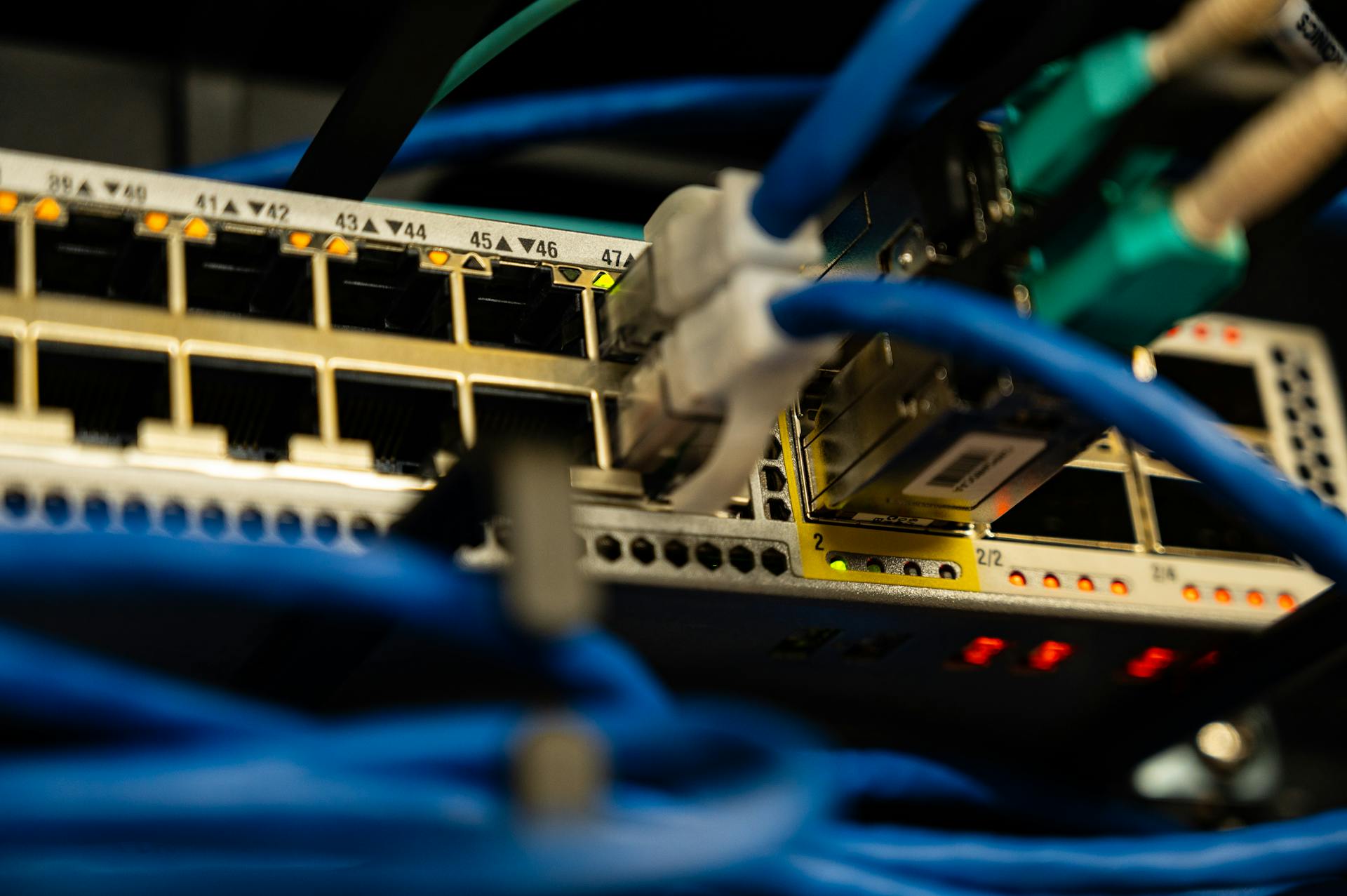
Let's go deep on the technical factors that determine whether your emails reach inboxes.
Understanding these details helps you diagnose issues, make architecture decisions, and maintain long-term deliverability.
IP Warming Process
When you get a new dedicated IP address, spam filters have no information about it. Zero reputation, zero trust. You must build reputation gradually.
Why warming is necessary: Spam filters use sending history to predict future behavior. If a brand-new IP suddenly sends 10,000 emails, that pattern matches spam and bot behavior.
Warming demonstrates: "This sender is legitimate, builds volume gradually, has good engagement."
The warming schedule:
Week 1 - Establish Legitimacy:
- Day 1-2: Send 20-30 emails to your most engaged contacts (people who've replied recently, opened consistently, or current customers)
- Day 3-4: Send 50-75 emails, still to engaged contacts
- Day 5-7: Send 100-150 emails, start mixing in less engaged contacts
Week 2 - Build Volume:
- Day 8-10: Send 150-200 emails per day
- Day 11-14: Send 200-300 emails per day
- Continue monitoring engagement metrics closely
Week 3 - Scale to Target:
- Day 15-17: Send 300-400 emails per day
- Day 18-21: Send 400-500 emails per day
- Begin introducing cold prospects in small batches
Week 4+ - Maintain and Adjust:
- Scale based on engagement, not arbitrary targets
- For B2B cold email: 50-100 emails per day per IP is sustainable long-term
- High-volume (500+/day) requires multiple IPs or higher risk tolerance
Critical monitoring during warm-up:
- Bounce rate: Should stay under 2%. Higher suggests list quality issues.
- Spam complaint rate: Should stay under 0.1%. Higher means you're emailing wrong people.
- Engagement rate: Opens + replies should stay consistent or improve.
If any metric degrades significantly, pause sending and diagnose before continuing.
Domain Reputation Management
IP reputation isn't the only factor. Domain reputation (the "from" domain in your email address) matters increasingly.
Why separate domains for cold email: Your company's primary domain (company.com) should be protected. If cold email damages reputation, you don't want that affecting emails from your CEO or customer success team.
Domain strategy:
- Primary domain (company.com): Transactional emails, personal emails from your team, customer support
- Cold email subdomain (mail.company.com or outreach.company.com): All cold outreach
- Marketing domain (optional, news.company.com): Newsletters and opted-in marketing
Domain age matters: Email filters trust older domains more than brand-new ones. A domain registered yesterday sending cold email looks suspicious.
If you're starting a new cold email program, register your sending domain 30-60 days before you start sending. Let it age.
Subdomain strategies:
- Single subdomain: mail.company.com for all cold email (simplest)
- Multiple subdomains: Different subdomains for different campaigns or customer segments (more isolation, more complex)
- Rotating subdomains: Deprecated approach, now flagged as suspicious by filters
Stick with single or carefully segmented subdomains. Don't over-complicate.
Authentication Best Practices
Three email authentication protocols determine whether filters trust your emails:
SPF (Sender Policy Framework): Lists which IP addresses are allowed to send email from your domain.
Best practices:
- Keep SPF record minimal—only include IPs and services you actually use
- Use
-all(hard fail) not~all(soft fail) to prevent spoofing - Don't exceed 10 DNS lookups (SPF limit) or record becomes invalid
- Example:
v=spf1 include:_spf.google.com include:sendgrid.net -all
DKIM (DomainKeys Identified Mail): Cryptographically signs emails to prove they weren't modified in transit.
Best practices:
- Use 2048-bit keys (more secure than 1024-bit)
- Rotate keys annually
- Ensure your platform signs all emails, including automated ones
- Check DKIM signatures with mail-tester.com
DMARC (Domain-based Message Authentication, Reporting and Conformance): Tells receiving servers what to do with emails that fail SPF or DKIM.
Best practices:
- Start with monitoring:
v=DMARC1; p=none; rua=mailto:dmarc@yourdomain.com - Analyze reports for 30 days to identify legitimate senders
- Move to quarantine:
p=quarantine(suspicious emails go to spam) - Eventually move to reject:
p=reject(unauthorized emails rejected completely)
BIMI (Brand Indicators for Message Identification): Optional protocol that displays your logo in email clients.
Not necessary for deliverability, but builds trust. Requires DMARC at p=quarantine or p=reject.
Monitoring Your Deliverability
Don't wait for your metrics to tank before noticing deliverability issues. Monitor proactively:
Metrics to track daily:
Inbox placement rate: Percentage of emails that reach inbox vs spam folder. Use tools like GlockApps or Mail-Tester to test periodically.
Bounce rate: Should stay under 2% for good lists. Spikes indicate list quality issues or IP reputation problems.
Spam complaint rate: Should stay under 0.1%. Higher means you're targeting wrong people or your content is too aggressive.
Engagement rate: Opens, replies, forwards. Declining engagement signals filters may be deprioritizing your emails.
Unsubscribe rate: For cold email, this is less relevant (no unsubscribe link). But for marketing, should stay under 0.5%.
Tools to use:
- Google Postmaster Tools: Shows your domain reputation as Google sees it, spam rate, authentication status
- Microsoft SNDS: Shows your IP reputation for Microsoft domains (Outlook, Hotmail, etc.)
- Sender Score: Free IP reputation score (0-100, aim for 80+)
- MXToolbox: Check if your IP or domain is blacklisted
- Mail-Tester: Tests email against spam filters, gives detailed report
Set up alerts: Most platforms can alert you when metrics cross thresholds. Configure alerts for:
- Bounce rate > 3%
- Spam complaint rate > 0.2%
- IP blacklisted
- DKIM/SPF failures
Proactive monitoring catches issues before they tank your deliverability.
Recovery When Things Go Wrong
Despite best efforts, deliverability issues happen. Here's how to recover:
Step 1 - Identify the cause:
Don't guess. Diagnose systematically:
- Check IP reputation (Sender Score, MXToolbox blacklist check)
- Review recent sending (did volume spike? Did you email a new list?)
- Check authentication (SPF, DKIM, DMARC all passing?)
- Look at engagement metrics (did engagement drop before deliverability?)
- Review spam complaint rate (sudden spike?)
Step 2 - Pause sending immediately:
Continuing to send while reputation is damaged compounds the problem. Pause all campaigns until you identify and fix the root cause.
Step 3 - Fix the root cause:
Common issues and fixes:
- Bad email list: Clean list, remove bounces and unengaged contacts
- Content flagged as spam: Revise content, reduce spam trigger words, improve personalization
- Authentication failure: Fix DNS records, verify SPF/DKIM/DMARC
- IP blacklisted: Request delisting (provide evidence you've fixed the issue)
- Shared IP contamination: Migrate to dedicated IP
Step 4 - Gradual warm-up restart:
Don't immediately resume full sending volume. Treat it like a new IP warm-up:
- Day 1-2: Send to most engaged contacts only (50-100 emails)
- Day 3-5: Increase to 150-200 emails
- Day 6-10: Increase to 300-400 emails
- Monitor metrics obsessively
Step 5 - Learn from the incident:
Document what went wrong and why. Update your processes to prevent recurrence:
- Implement list cleaning before uploading new contacts
- Add monitoring alerts for early warning signs
- Revise content review process
- Improve authentication monitoring
Most deliverability issues are recoverable. The key is rapid diagnosis and systematic remediation, not panic and guesswork.
Conclusion: Architecture is Destiny
Your CRM platform's fundamental architecture determines the ceiling on your email deliverability. No amount of content optimization, domain warming, or technical tweaks can overcome infrastructure designed for the wrong use case.
The core insight of this guide: SaaS-first and agency-first CRM platforms are optimized for fundamentally different outcomes. Choosing the wrong architecture for your use case guarantees long-term deliverability struggles.
Summary of Key Points
Platform architecture determines deliverability ceiling: Shared IP pools create reputation risks that affect your inbox placement regardless of your individual sending behavior.
Agency-first platforms optimize for the wrong use case: Built for marketing agencies serving local businesses with warm audiences, not B2B companies doing cold email to corporate prospects.
Shared IP pools are incompatible with B2B cold email: The "noisy neighbor" problem means other users' bad behavior damages your deliverability, and you have no control or visibility.
White-label creates accountability gaps: When deliverability breaks, the agency intermediary layer slows diagnosis and resolution to unacceptable timelines.
B2B cold email is fundamentally different from marketing email: Corporate spam filters, lower baseline engagement, and higher scrutiny require infrastructure designed specifically for cold outreach.
SaaS-first architecture is essential for B2B founders: Tenant isolation, dedicated IPs, direct support access, and B2B-optimized defaults are necessary—not luxury features—for sustainable cold email.
Decision Framework
Use this framework to determine which platform architecture fits your use case:
| Your Situation | Recommended Architecture |
|---|---|
| Local business marketing (newsletters to opted-in customers) | Agency-first platforms work well |
| B2B marketing to opted-in lists (lead magnets, webinar follow-ups) | Either architecture works |
| B2B cold email to corporate prospects | SaaS-first architecture required |
| High-volume cold outreach (500+ emails/day) | Dedicated IP infrastructure mandatory |
| Enterprise deal sizes ($50K+ annual contracts) | SaaS-first—can't afford deliverability risk |
The decision isn't "which platform has more features?" It's "which platform's engineering team optimized for my specific use case?"
Action Items
If you're currently experiencing deliverability issues or want to prevent them:
Audit your current platform's sending infrastructure:
- Ask the questions from Part 5
- Get specific answers about IP pools, tenant isolation, and abuse prevention
- Request access to IP reputation data and sending logs
Calculate your deliverability baseline:
- Document current open rates, bounce rates, spam complaints
- Test inbox placement with tools like GlockApps
- Track these metrics weekly to identify degradation early
Evaluate SaaS-first alternatives:
- Use the decision framework above
- Ask the same audit questions to new platforms
- Compare infrastructure transparency and support quality
Plan migration if needed:
- Follow the 4-week migration playbook from Part 8
- Don't skip IP warming—it's critical for success
- Monitor metrics obsessively during transition
Implement ongoing monitoring:
- Set up alerts for bounce rate, spam complaints, blacklists
- Check IP reputation weekly
- Review engagement metrics to catch issues early
Getting Started with PipeCrush
If you've identified that your current platform's agency-first architecture is limiting your B2B cold email success, PipeCrush offers a SaaS-first alternative:
Built for B2B cold email from day one: Every architectural decision optimized for cold outreach to corporate prospects, not retrofitted onto marketing infrastructure.
Isolated sending infrastructure included: Dedicated or carefully segmented IP pools, not shared across thousands of users.
Direct access to deliverability tools: Real-time monitoring, IP reputation visibility, detailed sending logs, and diagnostic tools.
No agency middleman: Direct support from engineers who built the system and understand email deliverability at the protocol level.
Transparent architecture: We publish technical documentation and answer infrastructure questions directly because we're confident in our approach.
Start with a free trial to test deliverability with your actual use case. Compare inbox placement, engagement rates, and support responsiveness to your current platform.
Your cold email success depends on architecture that was built for your specific use case. Choose accordingly.
FAQ Section
Is GoHighLevel really that bad for deliverability?
It depends entirely on your use case. GoHighLevel works well for local business marketing with warm, opted-in audiences—which is exactly what it was designed for. The deliverability issues emerge specifically when B2B companies try to use GHL for cold email to corporate prospects.
The problem isn't that GHL is poorly built. It's that shared IP infrastructure optimized for marketing agencies can't provide the isolated sending environment that B2B cold email requires. When you share sending IPs with thousands of other users sending different types of email, reputation contamination becomes inevitable.
For B2B cold email to corporate domains (@company.com addresses, Microsoft 365, Google Workspace), GHL's architecture creates a deliverability ceiling you can't overcome with better content or domain configuration.
Can't I just get a dedicated IP on any platform?
Some agency-first platforms offer dedicated IPs as add-ons, but IP isolation alone doesn't solve the architectural mismatch.
The platform's default settings, monitoring systems, support processes, and technical documentation were all designed for the shared IP model. Adding a dedicated IP doesn't change those systems.
Additionally, platforms that weren't built for B2B cold email often price dedicated IPs prohibitively high ($500+/month) specifically to discourage their use, since it complicates their infrastructure model.
SaaS-first platforms include dedicated IPs by default or offer them affordably because the entire system was designed around isolated sending from the beginning.
How do I know if I'm on a shared IP?
Ask your platform directly: "Are emails sent from my account using shared IP addresses or dedicated IPs?"
If they won't answer clearly, you're almost certainly on shared IPs.
You can also check email headers. When you receive an email you sent (send a test to yourself), view the email's raw source/headers. Look for the "Received:" headers—they show the IP address the email originated from.
Copy that IP address and look it up on Sender Score or MXToolbox. Some tools can show you how many domains send from that IP. If it's hundreds or "unknown," it's shared.
What if I've already invested heavily in GHL?
Migration is painful and costly, but many B2B companies report that deliverability improvements after switching to SaaS-first platforms justify the switching cost within 2-3 months.
Calculate the opportunity cost of lost deals from poor deliverability. If your open rate is 20% instead of 50% because of infrastructure issues, you're losing 60% of potential pipeline. How much is that worth?
Migration takes 4-6 weeks following the playbook in Part 8. The switching cost is real but bounded. The cost of staying on infrastructure that limits your growth compounds monthly.
Some companies run both platforms in parallel during transition—new campaigns on the SaaS-first platform while legacy campaigns wind down on GHL.
How long does it take to improve deliverability after switching?
With proper IP warming, you should see improvements within 2-4 weeks of starting to send from the new platform.
Week 1-2: Deliverability may actually be lower as you warm new IPs. This is normal and expected.
Week 3-4: Deliverability should match or exceed your old platform as IP reputation builds.
Month 2-3: Full reputation establishment. You should see consistent, reliable deliverability if you're following best practices.
The key is patience during warm-up. Don't expect instant improvement. The process takes time, but delivers sustainable results rather than temporary fixes.
Can agencies use SaaS-first platforms?
Yes, but the value proposition is different. SaaS-first platforms are built for direct end users, not white-label reselling to agencies.
If you're an agency serving B2B clients who need cold email capabilities, SaaS-first platforms might work better for client outcomes even though you lose white-label flexibility.
Some agencies use SaaS-first platforms as the technical infrastructure and layer their own service/support on top, rather than white-labeling the platform itself.
The trade-off: Better deliverability and direct support access vs. less control over branding and client experience.
What's more important: IP reputation or domain reputation?
Both matter, but their relative importance is shifting. Historically, IP reputation was the primary filter. Increasingly, email providers weight domain reputation more heavily.
However, IP reputation still acts as a baseline filter. A bad IP will tank your deliverability regardless of domain reputation. You need both to be good.
Think of it this way:
- IP reputation is the threshold: "Is this sender trustworthy enough to evaluate further?"
- Domain reputation is the quality signal: "How much do we trust this specific brand?"
Bad IP reputation gets you rejected before domain reputation is even considered. Good IP reputation gets you evaluated, then domain reputation determines inbox vs spam folder.
For B2B cold email, you need isolated IP infrastructure to protect IP reputation, and dedicated cold email domains to protect your primary domain's reputation.


