
Nurture & Retention: The Complete Guide to Warm Email Marketing for SaaS
Introduction: The Revenue You're Ignoring
Every SaaS founder knows the excitement of landing a new customer. The champagne pops, the Slack notifications flow, and the revenue counter ticks up. But here's the uncomfortable truth most companies ignore: that customer you just spent $500 acquiring has only paid you $50 so far.
The real money isn't in the acquisition. It's in what happens next.
According to research from Bain & Company, acquiring a new customer costs 5 to 25 times more than retaining an existing one. Yet the average SaaS company spends 80% of their marketing budget on acquisition and only 20% on retention. This is backwards.
Customer Lifetime Value (CLV) is the metric that separates growing companies from dying ones. A customer who stays for 12 months is worth 12 times more than one who churns after month one. A customer who upgrades to a premium plan might be worth 3-5x your base plan customer. The compounding value of retention is staggering.
But retention doesn't happen by accident. It happens through systematic, strategic communication that keeps customers engaged, educated, and expanding their usage of your product. This is where warm email marketing comes in.
Warm email marketing is fundamentally different from cold email. Cold email is about breaking through to strangers. Warm email is about deepening relationships with people who already trust you. The strategies, infrastructure, and metrics are completely different. Confusing the two is one of the most expensive mistakes in SaaS marketing.
This guide will show you how to build a retention machine using warm email. You'll learn how to structure your sending infrastructure, create AI-powered newsletters in minutes, design onboarding sequences that drive activation, build churn-prevention systems, segment your audience for maximum relevance, run upsell campaigns that feel helpful rather than pushy, and measure what actually matters for retention.
By the end, you'll understand why companies like Atlassian, Slack, and Notion invest heavily in email retention—and how you can build the same systems without their enterprise budgets.
Let's start with the foundation: understanding why warm email requires completely different infrastructure than cold email.
Part 1: Cold vs Warm Email Infrastructure
Most SaaS companies make a catastrophic mistake: they send newsletters from the same email infrastructure they use for cold outreach. This is like using your personal credit card for business expenses—it might work for a while, but eventually it creates serious problems.
Here's why you need separate sending infrastructure for warm email marketing:
Reputation Isolation
Email deliverability is built on sender reputation. Internet Service Providers (ISPs) like Gmail, Outlook, and Yahoo track every email you send and assign your domain and IP address a reputation score. Send too many emails that get marked as spam, and your entire domain gets flagged.
Cold email is inherently risky for reputation. You're contacting people who don't know you. Even with perfect targeting, some percentage will mark your emails as spam. This is expected and manageable—as long as it doesn't contaminate your warm email sending.
When you send newsletters from the same domain you use for cold outreach, a spam complaint from a cold prospect can hurt deliverability to your paying customers. Your product update email gets filtered to spam because your sales team was aggressive with cold outreach last week. This is unacceptable.
The solution is domain separation. Use your primary domain (yourdomain.com) for warm email to customers. Use a subdomain (marketing.yourdomain.com or hello.yourdomain.com) for cold outreach. This creates a firewall between the two types of sending.
Opt-In vs Opt-Out Compliance
Cold email operates under CAN-SPAM laws in the US, which allow you to contact business prospects as long as you provide an unsubscribe link. It's opt-out by default.
Warm email marketing to consumers falls under stricter regulations. GDPR in Europe requires explicit opt-in consent for marketing emails. Even in the US, best practices dictate that you get clear permission before adding someone to your newsletter.
These different compliance requirements mean you need different subscription management systems. Your cold email platform needs aggressive list management and domain rotation. Your warm email platform needs double opt-in forms, preference centers, and granular consent tracking.
Trying to do both in one system creates compliance nightmares. You might accidentally add cold prospects to your customer newsletter. Or worse, you might blast cold emails to customers who never consented to sales outreach.
Domain Strategy
Smart SaaS companies use a three-domain strategy:
Primary Domain (yourdomain.com) - Used for:
- Transactional emails (password resets, receipts, notifications)
- Warm email campaigns to customers
- Official company communications
Marketing Subdomain (marketing.yourdomain.com) - Used for:
- Newsletters and content emails
- Product update announcements
- Educational drip sequences
This gives you additional reputation isolation even within warm email. If you experiment with aggressive newsletter tactics and it hurts deliverability, your critical transactional emails are protected.
Sales Subdomain (hello.yourdomain.com or outbound.yourdomain.com) - Used for:
- Cold outreach campaigns
- Sales prospecting sequences
- Lead generation efforts
This keeps your sales activity completely separate from customer communications.
Set up proper SPF, DKIM, and DMARC authentication for each domain. Configure separate IP addresses if your volume is high enough (generally 100k+ emails per month). Use dedicated sending infrastructure for each type of email.
The companies that get this right have inbox placement rates above 95%. The companies that don't struggle to hit 70%. Your customers can't engage with emails they never see.

Part 2: The AI Newsletter
The traditional company newsletter is dead. You know the type: a monthly roundup of blog posts, company news nobody cares about, and generic "tips" that could apply to any industry. Open rates under 10%. Unsubscribe rates climbing.
The problem isn't newsletters themselves. The problem is that most companies treat newsletters as an afterthought. Someone in marketing scrambles to throw together content at the last minute. There's no strategy, no personalization, and certainly no tie to actual customer needs.
AI changes everything about newsletter creation. What used to take 4-6 hours can now be done in 30 minutes. More importantly, AI enables personalization at a scale that was previously impossible.
Here's how to build an AI-powered newsletter system that customers actually want to read.
Generating Weekly Updates in Minutes
Start with a simple prompt framework:
"Generate a weekly newsletter for [your product category] customers. Include:
- One actionable tip related to [core use case]
- A curated link to a relevant industry article (summarized, not just linked)
- A customer success story or use case example
- A brief product update if we shipped something new
- A conversational tone that sounds human, not corporate
Audience: [describe your ideal customer]
Brand voice: [professional/casual/technical]
Length: 400-500 words maximum"
Feed this to an AI model along with your recent product updates, customer success examples, and curated links. You'll get a solid first draft in seconds.
The key is in the editing. AI gives you the structure and first draft. You add the personality, company-specific context, and final polish. This is the human review workflow that separates good AI content from generic slop.
AI-Assisted Content Curation
One of the most time-consuming parts of newsletter creation is finding relevant content to share. AI can scan hundreds of articles, identify the most relevant ones for your audience, and generate summaries.
Set up a weekly workflow:
- Use AI to scan industry news sources for your category
- Generate summaries of the top 5-10 most relevant articles
- Pick 1-2 that align with your product messaging
- Have AI write a 2-3 sentence summary that ties the article to your customers' needs
This transforms you from a content creator into a content curator. You're adding value by filtering signal from noise for your customers.
Personalization at Scale
Traditional newsletters are one-size-fits-all. AI newsletters can be dynamically personalized based on customer data from your CRM.
Pull data from your customer database:
- Which features they use most
- How long they've been a customer
- What industry they're in
- Whether they're on a trial, starter plan, or enterprise plan
Use this data to customize sections of your newsletter:
"For customers using [feature], include a tip about [advanced use case]"
"For customers in [industry], reference a case study from [similar industry]"
"For trial users, include a gentle reminder about activation milestones"
You're not creating dozens of different newsletters. You're creating modular sections that get assembled based on customer attributes. AI handles the assembly logic.
The result: every customer gets a newsletter that feels personally relevant. Open rates go from 15% to 35%+.
Maintaining Brand Voice with AI
The biggest fear with AI content is that it sounds generic and soulless. This happens when you treat AI as a replacement for human thinking instead of a tool to enhance it.
Create a brand voice guide for your AI:
Tone: How formal or casual should the writing be?
Perspective: First person ("we"), second person ("you"), or third person?
Sentence structure: Short punchy sentences or longer explanatory ones?
Industry jargon: Which terms to use and which to avoid?
Personality traits: Optimistic? Skeptical? Humorous? Straightforward?
Feed this guide into your AI prompts every time. Over time, the AI will internalize your voice patterns.
More importantly: always edit AI output. Change generic phrases to specific ones. Add examples from your actual product. Insert jokes or references that only your customers would get. The AI gives you the structure; you give it the soul.
Human Review Workflow
Here's the realistic workflow for a weekly AI newsletter:
Monday (5 minutes): Gather inputs
- Pull product updates from engineering
- Note any customer wins or case studies
- Identify key dates or events happening this week
Wednesday (15 minutes): Generate draft
- Feed inputs to AI with your newsletter prompt template
- Generate 3 different versions and pick the best one
- Use AI to create subject line variations
Thursday (20 minutes): Edit and personalize
- Rewrite the intro to be more specific/engaging
- Add company-specific examples
- Check that all links work
- Set up dynamic personalization rules
- Preview how it looks on mobile
Friday (5 minutes): Schedule and send
- A/B test subject lines
- Schedule for optimal send time
- Monitor deliverability and engagement
Total time: 45 minutes for a personalized, valuable newsletter.
Compare this to the traditional approach: 4-6 hours of writer time, plus designer time for layouts, plus approval workflows. AI doesn't replace the human judgment and creativity. It eliminates the grunt work so you can focus on strategy and refinement.
The companies winning at newsletters in 2025 are using AI as a force multiplier. They're publishing more frequently (weekly instead of monthly), personalizing more deeply (dynamic sections instead of one-size-fits-all), and spending less time on production.
This frees up marketing teams to focus on strategy: what should we write about? How can we drive more product adoption? What customer segments need different messaging?
Part 3: Onboarding Sequences
The first seven days after signup are the most critical period in your customer's lifecycle. This is when they decide whether your product is worth the learning curve or just another tool they'll forget about.
Research shows that users who complete key activation milestones in the first week have 5x higher retention rates than those who don't. Your onboarding sequence is the difference between a customer who stays for years and one who churns before their first renewal.
The First 7 Days Matter Most
Traditional onboarding makes a fatal mistake: frontloading all information at once. The welcome email contains 15 links to help docs, video tutorials, and feature explainers. It's overwhelming. Most users ignore it.
Effective onboarding sequences drip out information over time, perfectly timed to when the user needs it.
Here's a proven 7-day framework:
Day 0 (Immediate): Welcome and first quick win
- Thank them for signing up
- Direct them to ONE specific action that delivers immediate value
- Keep it simple: "Create your first [core object in your product]"
- Expected time to complete: under 5 minutes
Day 1: Expand on the quick win
- Acknowledge they completed the first action (if they did)
- Show them the next logical step
- Include a short video (60-90 seconds) demonstrating the action
- Offer help if they got stuck on Day 0
Day 3: Introduce the second most important feature
- Don't try to explain everything—focus on the next value driver
- Use a customer example: "Here's how [similar company] uses this..."
- Make it concrete and actionable
Day 5: Social proof and support
- Share a customer success story relevant to their use case
- Remind them about your support channels (chat, email, docs)
- Ask if they have questions
Day 7: Activation checkpoint
- Celebrate if they've hit key milestones
- Offer a personalized setup call if they haven't activated
- Introduce them to AI sequences they can enable for automation
This sequence assumes the user is engaging. But what if they're not?
Activation Milestones
Not all actions are equally predictive of retention. You need to identify which specific behaviors correlate with long-term customer success.
For a CRM product, activation milestones might be:
- Added at least 10 contacts
- Created first deal in the pipeline
- Sent first email campaign
- Logged in at least 3 times in the first week
For a project management tool:
- Created first project
- Invited at least one team member
- Created at least 5 tasks
- Completed first task
Analyze your retention data to find these patterns. Which actions in the first week predict whether someone will still be active in month 3?
Once you know your activation milestones, structure your onboarding emails around completing them. Every email should drive toward one specific milestone.
Drip Sequence Design
A drip sequence is time-based: emails go out on a predetermined schedule regardless of user behavior. This is the simplest type of onboarding sequence to set up.
Pros of drip sequences:
- Easy to build and maintain
- Predictable messaging cadence
- Works well for products with linear onboarding paths
Cons of drip sequences:
- Not responsive to user behavior
- Can send irrelevant messages (explaining features they already used)
- Same experience for power users and struggling users
Drip sequences work best when combined with behavioral segmentation. Send the drip sequence to everyone, but exclude users who have already completed the action you're prompting them to do.
For example, your Day 3 email explains how to import contacts. But if the user already imported 100 contacts, don't send that email. Instead, send them a more advanced tip about segmentation or tagging.
Behavioral Triggers vs Time-Based
Behavioral trigger emails are far more powerful than time-based drips. Instead of sending on a schedule, they send when a user takes (or doesn't take) a specific action.
Examples of behavioral triggers:
Feature adoption triggers:
- User creates their first automated sequence → Send tips for optimizing it
- User sends their first email campaign → Send best practices for follow-up
- User connects their calendar → Introduce them to online booking features
Milestone triggers:
- User hits 100 contacts → Congratulate them and introduce team collaboration features
- User sends 1,000th email → Share deliverability best practices
- User books 10th meeting → Offer case study about scaling outreach
Inactivity triggers:
- User hasn't logged in for 3 days → Send "We miss you" email with helpful tip
- User created account but never created first project → Send setup assistance offer
- User imported contacts but never sent an email → Troubleshoot what's blocking them
The most sophisticated onboarding systems combine time-based drips with behavioral triggers. You have a baseline sequence that everyone gets, plus conditional messages that fire based on actions taken.
Building this requires integration between your email marketing platform and your product database. You need to track user actions in real-time and trigger emails based on those events.
Measuring Onboarding Success
How do you know if your onboarding sequence is working?
Primary metrics:
- Activation rate: Percentage of signups who complete your key milestones within 7 days
- Time to activation: How long it takes users to hit activation milestones (faster is better)
- Week 1 retention: Percentage of signups who are still active 7 days later
Secondary metrics:
- Email open rates: Are people reading your onboarding emails? (Benchmark: 40-60%)
- Email click rates: Are they clicking through to take action? (Benchmark: 10-20%)
- Feature adoption: What percentage complete each suggested action?
Long-term impact metrics:
- 30-day retention: Do users who complete onboarding stick around longer?
- Upgrade rate: Do activated users upgrade to paid plans more often?
- Customer lifetime value: Do onboarding completers have higher CLV?
A/B test your onboarding sequences relentlessly:
- Test different email send times
- Test shorter vs longer explanations
- Test video tutorials vs text tutorials
- Test different calls-to-action
- Test different sequences of features to introduce
Some companies run onboarding experiments continuously, testing 2-3 variations at all times. A 5% improvement in activation rate might translate to hundreds of thousands in additional revenue.
The goal of onboarding isn't to teach users everything about your product. It's to get them to experience value as quickly as possible. Once they've felt that value, they'll invest time in learning more. But if they don't hit that "aha moment" in the first week, they're gone.

Part 4: Churn-Busting Sequences
Customer churn is not a sudden event. It's a slow fade. The user logs in less frequently. They stop using key features. They ignore your emails. By the time they cancel, the decision was made weeks ago.
The opportunity is in the fade period. This is when churn-busting sequences can make the difference between losing a customer and re-engaging them.
According to industry research, 67% of customer churn is preventable with proper intervention. The key word is "proper." Generic "We miss you!" emails don't work. Strategic, personalized re-engagement based on specific behaviors does.
Identifying At-Risk Customers
You can't save a customer if you don't know they're at risk. Build an early warning system that flags customers showing churn signals:
Usage drop-off:
- Logged in daily for a month, now only weekly
- Used to send 50 emails per week, now sends 5
- Created 20 deals last month, created 2 this month
- Had 5 active team members, now only 1 person is logging in
Feature abandonment:
- Used to use your automation features, now everything is manual
- Stopped using your reporting dashboard
- No longer integrating with other tools they had connected
Support signal changes:
- Increase in support tickets (struggling with something)
- Or decrease in support tickets (given up on getting help)
- Negative sentiment in support conversations
Engagement decay:
- Stopped opening your emails
- Unsubscribed from your newsletter
- Hasn't clicked any in-app prompts or feature announcements
Set up automated tracking for these signals in your CRM. Create a "churn risk score" that combines multiple factors. When a customer crosses a threshold, trigger a re-engagement sequence.
Win-Back Email Templates
The worst win-back emails say "We miss you!" and offer a discount. This might get a short-term re-activation, but it doesn't address why they stopped using your product in the first place.
Effective win-back emails diagnose the problem and offer specific solutions.
Template 1: The Feature Discovery Email
Many users churn because they never discovered the features that would make your product valuable to them. They're using 20% of your functionality and not getting enough value.
Subject: "You might not know [Product] can do this..."
Body framework:
- Acknowledge their reduced usage (without sounding creepy)
- Highlight a specific feature they haven't tried that aligns with their use case
- Show a concrete example of how it saves time or drives results
- Offer to set it up for them
Template 2: The ROI Reminder
Customers forget the value they're getting, especially for products that work in the background.
Subject: "Your [Product] impact this month"
Body framework:
- Show specific metrics: "You've closed 12 deals worth $45,000 that came through [Product]"
- Highlight time saved: "Our automation saved you 8 hours of manual work"
- Compare to alternatives: "Doing this manually would cost you [X]"
This works particularly well for products with good analytics integration.
Template 3: The "What Went Wrong?" Survey
Sometimes the best approach is direct.
Subject: "Can we fix this?"
Body framework:
- Acknowledge they've been less active
- Ask what's not working for them
- Offer 3-4 specific options they can click (makes it easy to respond)
- Guarantee a personal response within 24 hours
The key is making the survey effortless. Don't send them to a 20-question form. Give them clickable options right in the email:
- "The product is too complex"
- "I'm not seeing ROI"
- "I found a better alternative"
- "I just don't have time to use it right now"
Each option triggers a different follow-up sequence addressing that specific concern.
Template 4: The Success Story
Show them what's possible with your product by highlighting a customer similar to them.
Subject: "How [Similar Company] got [Specific Result]"
Body framework:
- Start with a customer in their industry or with their use case
- Show the specific challenge they faced
- Explain the exact approach they used in your product
- Share the results (quantified)
- Offer to help them implement the same approach
This works because it overcomes skepticism with proof. They can see exactly how someone like them succeeded.
Triggered Emails When User Stops Logging In
Set up a sequence that automatically triggers when a user hasn't logged in for a certain period:
Day 3 of inactivity: Helpful reminder
- "Quick question about your [last action in product]"
- Offer a helpful tip related to what they were trying to do
- Keep it light and value-focused
Day 7 of inactivity: Feature highlight
- "While you were away, here's what [Product] can do for you..."
- Highlight an underused feature that matches their profile
- Include a quick demo video
Day 14 of inactivity: Direct outreach
- Personal email from a customer success rep (not automated-sounding)
- Offer a 15-minute call to troubleshoot
- Make it clear there's no pressure, you're just trying to help
Day 21 of inactivity: Last-ditch offer
- Acknowledge they might not need the product right now
- Offer to downgrade them to a free tier if available
- Ask if there's anything that would bring them back
The timing varies by product. For a daily-use tool, 3 days of inactivity is significant. For a monthly-use tool, you might wait 45 days before triggering a sequence.
Personalized Re-engagement Based on Last Action
Generic re-engagement emails get ignored. Personalized ones based on exactly where the user left off get responses.
Track the last meaningful action each user took in your product:
- Last feature they used
- Last page they visited
- Last email they sent or campaign they created
- Last deal they updated
Use this to personalize your re-engagement:
"We noticed you were setting up [specific feature] but didn't finish. Here's a quick tutorial that might help..."
"You created 5 deals in your pipeline last month. Want help moving them to closed/won?"
"Your last email campaign had a 35% open rate—that's great! Here's how to improve it to 45%..."
This level of personalization requires integration between your email platform and product analytics. But the impact is significant. Re-engagement emails that reference specific user actions get 3-5x higher response rates than generic ones.
When to Give Up Gracefully
Not every customer can be saved. Some churn is healthy—they weren't a good fit, their needs changed, or they found a better alternative.
The goal is to maximize goodwill even in the breakup. Here's why:
Reasons to end gracefully:
- They might come back in 6-12 months when their needs change
- They might refer others to you even if they don't use you themselves
- They might leave a positive review despite churning
- They become data for understanding your product-market fit
After your re-engagement sequence runs its course (typically 21-30 days), send one final email:
Subject: "We'll get out of your way"
Body framework:
- Acknowledge they're not using the product
- Offer to cancel their account to avoid future charges (if applicable)
- Ask for brief feedback on why it didn't work out
- Leave the door open: "If your needs change, we'd love to have you back"
- Offer to keep them on your content newsletter (unsubscribe from product emails but stay subscribed to valuable content)
This accomplishes several things:
- Shows respect for their time and inbox
- Prevents negative feelings from continued unwanted emails
- Gathers valuable feedback about why people churn
- Maintains a relationship through content even if they're not a customer
Some companies create an "alumni" segment for churned customers. These people get your best content and occasional product updates, but not sales emails. If you release a feature that addresses why they churned, you can reach out with a targeted message.
The customers most likely to return are those who left on good terms. A pushy, desperate sequence of discount offers kills that possibility. A respectful, helpful approach keeps the door open.

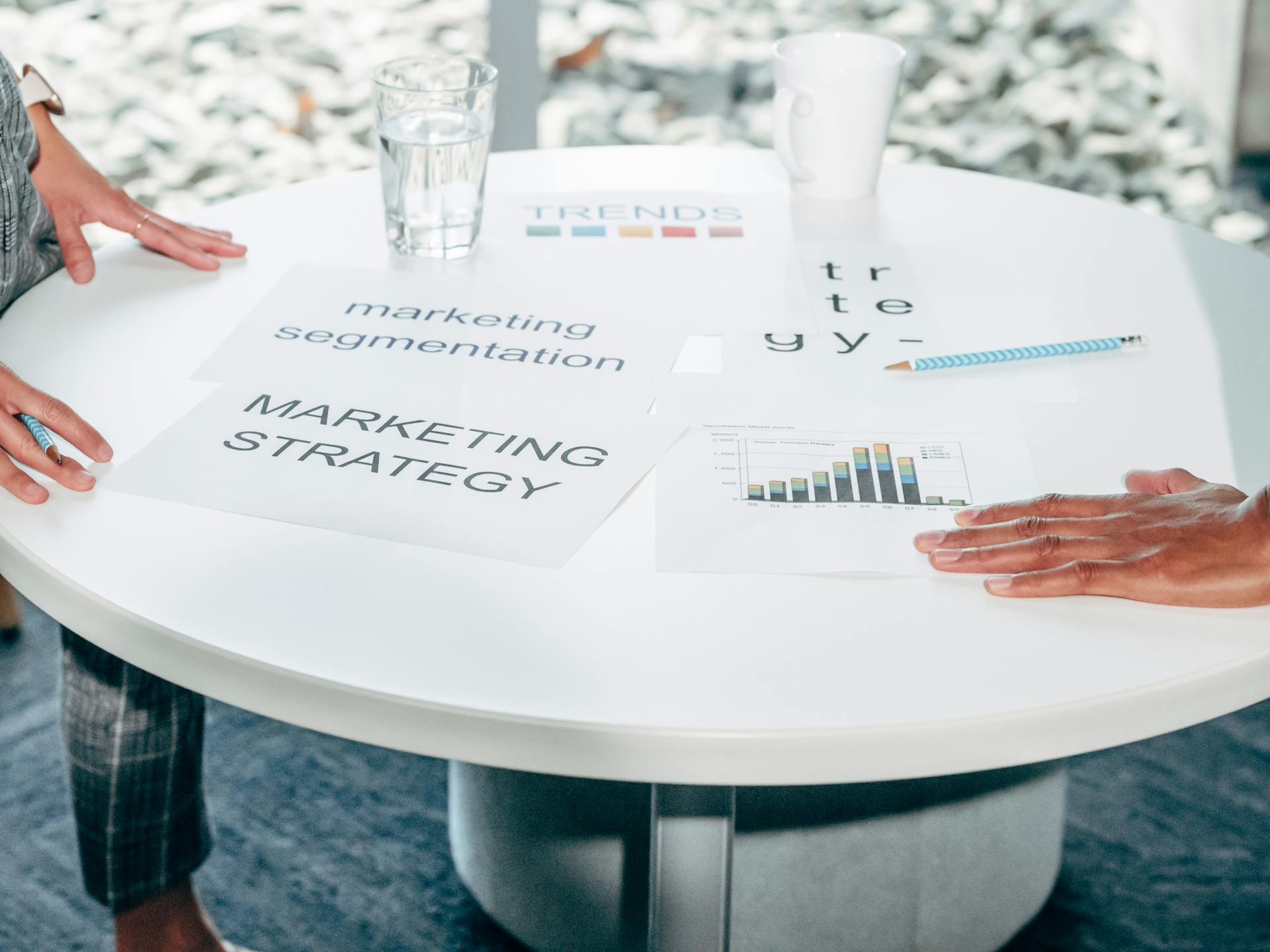
Part 5: Segment or Die
The biggest mistake in email marketing is treating all customers the same. Your newsletter goes to everyone on your list with identical content. Your product announcements blast every user regardless of whether the feature is relevant to them.
This is a recipe for increasing unsubscribe rates while decreasing engagement.
Modern email marketing is about relevance. The more relevant your emails, the higher your open rates, click rates, and ultimately, retention rates. Relevance comes from segmentation.
Why One-Size-Fits-All Emails Fail
Imagine you're a SaaS company with customers ranging from solopreneurs to 500-person enterprises. Your one-size-fits-all newsletter includes:
- A tip about team collaboration features (irrelevant to solopreneurs)
- A case study from a solopreneur (enterprise customers don't relate)
- Pricing for your basic plan (enterprise customers are on custom plans)
Every single subscriber finds 2/3 of your email irrelevant. They skim past most of it. Over time, they train themselves to ignore your emails entirely.
Now imagine segmenting that same audience:
Segment 1: Solopreneurs
- Tips about personal productivity
- Case studies from other solo users
- Automation tricks to replace team members
- Integrations with solo-friendly tools
Segment 2: Small teams (2-10 people)
- Collaboration features
- Team workflow optimization
- Case studies from similar-sized companies
- Tips about delegation and role assignment
Segment 3: Enterprise (50+ users)
- Administrative controls and permissions
- Security and compliance features
- Case studies from large organizations
- Integration with enterprise tools (Salesforce, Microsoft, etc.)
Each segment gets an email that feels personally relevant. Open rates increase. Click rates increase. More importantly, customers perceive your product as being built for them specifically.
Behavioral Segmentation
The most powerful segmentation is based on what customers actually do in your product, not just demographic data.
Usage-based segments:
- Power users (top 20% of activity)
- Regular users (middle 60%)
- At-risk users (bottom 20% of activity)
Send different messages to each:
- Power users get advanced tips, beta features, and opportunities to influence product direction
- Regular users get feature discovery and productivity tips
- At-risk users get re-engagement sequences and troubleshooting help
Feature adoption segments:
- Uses automation features vs manual users
- Uses reporting/analytics vs doesn't
- Has integrations enabled vs standalone
- Single-user vs multi-user accounts
Target feature-specific education:
- Manual users get emails showing how automation saves time
- People without integrations get integration highlight emails
- Single users get team collaboration pitches when they hit scale limitations
Goal-based segments:
Segment by what customers are trying to accomplish:
- Lead generation focus
- Customer retention focus
- Sales pipeline management
- Marketing campaign management
Each group gets content aligned with their goals. A customer focused on lead generation doesn't care about your advanced retention features—yet. Meet them where they are.
Lifecycle Stage Segmentation
Where a customer is in their journey with you determines what messages are relevant.
Trial users:
- Focus on activation
- Quick wins and value demonstrations
- Comparison with alternatives
- Conversion incentives as trial end approaches
New customers (first 90 days):
- Onboarding and education
- Feature discovery
- Best practices and optimization tips
- Success stories from similar customers
Established customers (90 days - 1 year):
- Advanced features and use cases
- Upsell opportunities for higher plans
- Team expansion and collaboration features
- ROI tracking and impact measurement
Long-term customers (1+ years):
- Loyalty appreciation
- Exclusive beta access
- Advisory board or customer council invitations
- Strategic planning and roadmap input
Churned customers:
- Alumni content (stay connected without selling)
- Win-back campaigns if something changes
- Referral requests (even if they don't use you, they might know someone)
Moving customers from one stage to another is automated based on signup date and account status. This ensures messaging is always contextually appropriate.
Engagement-Based Segments
Some customers open every email you send. Others haven't opened anything in 6 months. Treating these two groups the same is wasteful and counterproductive.
Highly engaged:
- Open most emails
- Click through frequently
- Engage with your product regularly
These customers can handle higher email frequency. Send them:
- Weekly newsletters
- All product announcements
- Educational content and tips
- Community and event invitations
Moderately engaged:
- Open some emails
- Occasional clicks
- Regular but not intense product usage
Reduce frequency to avoid fatigue. Send them:
- Bi-weekly newsletters
- Major product announcements only
- Targeted feature discovery based on their usage gaps
Minimally engaged:
- Rarely open emails
- Little to no clicking
- Infrequent product usage
Dramatically reduce frequency and test re-engagement. Send them:
- Monthly or less frequently
- Only critical account-related emails
- Re-engagement campaigns to understand why they're disengaged
Never engaged:
- Never opened an email from you
- Account created but minimal or no product usage
Consider removing them or moving to an extremely low-frequency cadence. They're hurting your sender reputation with ISPs. It's better to have a smaller list of engaged recipients than a large list of people who ignore you.
Run a re-permission campaign: "We've noticed you haven't opened our emails. Would you like to continue receiving them?" Those who don't respond get removed. This improves deliverability for everyone else.
Tag Architecture Best Practices
Tags are the building blocks of good segmentation. But many companies create tag chaos: hundreds of tags with no clear naming convention, overlapping categories, and no way to know what tags actually mean.
Build a structured tag taxonomy:
Category 1: Customer Type
customer:enterprisecustomer:smbcustomer:solopreneur
Category 2: Industry
industry:saasindustry:ecommerceindustry:agency
Category 3: Product Usage
feature:automation_activefeature:integrations_enabledfeature:team_plan
Category 4: Lifecycle
lifecycle:triallifecycle:new_customerlifecycle:establishedlifecycle:at_risk
Category 5: Engagement
engagement:highengagement:mediumengagement:low
Category 6: Content Preferences
interest:product_updatesinterest:industry_newsinterest:tutorials
Use consistent naming conventions (category:value) so tags are self-documenting. When someone looks at a contact in your CRM, they should immediately understand what each tag means.
Automate tag application based on behavior:
- User enables automation → add
feature:automation_active - User's last login was 30+ days ago → add
engagement:low - User upgrades to team plan → add
feature:team_plan
Manual tagging is error-prone and doesn't scale. Behavioral automation keeps tags accurate and current.
Dynamic Segments
Static segments are lists you manually create and maintain. Dynamic segments are queries that automatically include contacts matching certain criteria.
Static segment example:
"Enterprise Customers" list → You manually add people to this list
Dynamic segment example:
"Enterprise Customers" query → Automatically includes anyone with customer:enterprise tag or account value over $10k/year
Dynamic segments are self-maintaining. When a customer's behavior changes, they automatically move between segments. This ensures your targeting is always current.
Use dynamic segments for:
- Engagement-based targeting (engagement levels change over time)
- Product usage (feature adoption changes as customers grow)
- Lifecycle stages (everyone moves through stages over time)
- Account health scoring (risk levels fluctuate based on usage patterns)
This enables sophisticated campaigns like:
"Send email to all customers who:
- Joined in the last 30 days AND
- Haven't enabled automation features AND
- Are on a paid plan (not trial) AND
- Have clicked at least one email in the last week (engaged)"
This hyper-targeted message goes only to customers who would benefit from automation features and are engaged enough to act on the message. The result: 40%+ open rates and 15%+ click rates instead of 20% and 3%.
The sophistication of your segmentation directly correlates with the effectiveness of your email retention strategy. Companies with basic segmentation (one newsletter to everyone) see 15-20% open rates. Companies with advanced behavioral segmentation see 35-50% open rates.
The difference is respecting your customers' time by sending them only what's relevant to them specifically.
Part 6: Upsell & Cross-Sell Campaigns
The most profitable revenue doesn't come from acquiring new customers. It comes from expanding revenue from existing customers. Upsells (moving to a higher-tier plan) and cross-sells (adding additional products or features) have close rates 5-10x higher than new customer acquisition.
Yet most SaaS companies treat upselling as an afterthought. They wait for customers to request upgrades instead of strategically guiding them toward expansion opportunities.
Email is one of the most effective channels for driving upsells—when done correctly. The key is making expansion feel helpful rather than pushy.
Identifying Expansion Opportunities
Not every customer is ready for an upsell. Trying to upsell too early damages trust. Trying to upsell someone who's not getting value from their current plan is pointless.
Look for these signals that indicate expansion readiness:
Usage ceiling signals:
- Approaching or hitting plan limits (contacts, emails sent, users, storage)
- Consistently using 80%+ of their allocated resources
- Triggering "upgrade" prompts in your product multiple times
Feature request signals:
- Asking about features only available on higher plans
- Submitting feature requests that already exist in higher tiers
- Expressing frustration with limitations of current plan
Success signals:
- High product adoption and usage
- Positive NPS scores or customer satisfaction ratings
- Achieved measurable results from your product
- Shared success stories or case studies
Growth signals:
- Hiring new team members (need more user seats)
- Expanding to new markets or products
- Increased revenue or funding (more budget available)
- Seasonal business peaks approaching
When these signals appear, trigger an upsell sequence. Don't send upsell emails randomly—send them when the customer is most likely to say yes.
Feature Adoption Campaigns
Many customers don't know what features are available on higher tiers. They assume your product can't do X because they haven't seen X in their current plan.
Feature adoption campaigns introduce premium capabilities by showing their value:
Step 1: Demonstrate the problem
"We noticed you're manually [doing X]. This works, but it's time-consuming when you're dealing with [scale]."
Step 2: Show the solution
"Customers on our Pro plan use [automated feature] to handle this in a fraction of the time. Here's how it works: [specific example]"
Step 3: Quantify the impact
"On average, this saves users 5 hours per week. At your current volume, that could mean [X] hours saved each month."
Step 4: Make upgrade easy
"Want to try it? You can upgrade to Pro in one click. If it doesn't work for you, we can downgrade you back—no questions asked."
This approach doesn't feel salesy because it's education-first. You're helping them understand what's possible, not pushing them to spend more.
Timing these campaigns to coincide with frustration moments is powerful:
- User manually processes something for the 50th time → Send automation feature email
- User hits plan limit for the 3rd time this month → Send capacity upgrade email
- User asks support how to do something → If it's a premium feature, send feature adoption email
Plan Upgrade Triggers
Set up automated triggers that send upgrade prompts when customers demonstrate they've outgrown their current plan:
Trigger: Approaching limits
When a customer hits 80% of their plan's limit (contacts, emails, storage), send:
Subject: "You're growing fast 🚀 (almost at your plan limit)"
Body:
- Congratulate them on growth
- Show exactly how close they are to limit
- Explain what happens if they hit the limit (blocked sends, locked features)
- Offer proactive upgrade to avoid disruption
- Include pricing for the next tier
Trigger: Repeated limit hits
If they hit the limit, get blocked, then it happens again:
Subject: "Let's fix this capacity issue"
Body:
- Acknowledge the frustration of hitting limits
- Suggest the right plan based on their growth trajectory
- Offer a discount or extended trial on the higher tier
- Make it clear you're solving their problem, not just upselling
Trigger: Team growth
When a single-user account starts adding team members:
Subject: "Ready to unlock team features?"
Body:
- Recognize they're bringing on teammates
- Introduce collaboration features on team plans
- Show how teams use email marketing together effectively
- Offer team plan pricing and easy migration
Case Study Emails for Social Proof
Skepticism is the #1 barrier to upsells. Customers think: "Will this really deliver the value you claim?"
Case study emails overcome skepticism with proof from similar customers:
Formula:
- Find a customer similar to the recipient (same industry, size, use case)
- Show what plan they upgraded to and why
- Share specific results they achieved
- Quantify the ROI
- Make it easy for the recipient to take the same path
Example:
Subject: "How [Company Similar to Theirs] 3xed their pipeline with Pro"
Body:
- Brief intro: "[Company] is a [industry] company with [size], just like you"
- Challenge: "They were hitting their contact limits and manually managing sequences"
- Solution: "They upgraded to Pro to unlock automation and higher limits"
- Results: "In 90 days, they tripled their qualified pipeline and saved 10 hours/week"
- Call to action: "Want similar results? Here's how to upgrade..."
Include a quote from the customer if possible. Real words from real people are far more persuasive than marketing copy.
Timing Upsell Asks Correctly
Timing is everything in upselling. Ask too early and you seem pushy. Ask too late and you've missed the moment of maximum intent.
Bad timing:
- During onboarding (they haven't seen value yet)
- Right after they downgrade (they're cost-cutting)
- During a support issue (they're frustrated)
- Right after renewal (they just committed, give them breathing room)
Good timing:
- After they achieve a significant milestone (closed a big deal, hit a growth target)
- When they're actively hitting plan limitations
- After very positive support interactions
- Following product engagement spikes (logging in daily, using multiple features)
- Before renewal period (so upgrade includes extended commitment)
Track "expansion readiness scores" similar to lead scoring:
- Product usage frequency: +10 points
- Hitting plan limits: +20 points
- Positive support sentiment: +15 points
- Feature requests for premium features: +25 points
- Recent funding or growth announcements: +20 points
When a customer crosses a threshold (say, 60 points), they enter an upsell nurture sequence.
The "Try Before You Commit" Approach
One of the most effective upsell tactics is the trial upgrade:
"We've unlocked [premium feature] on your account for the next 14 days. Try it out. If you love it, you can upgrade to keep it. If not, no worries—just keep using your current plan."
This works because:
- Removes purchase risk (they can try it first)
- Creates investment (once they start using the feature, they don't want to lose it)
- Demonstrates value directly (better than any marketing email)
- Feels generous rather than pushy
Many customers who try premium features convert to paid upgrades because the value becomes obvious once they experience it.
Use AI sequences to personalize trial experiences:
- Enable features most relevant to their use case
- Send targeted tips on getting value from the trial features
- Show usage analytics during the trial
- Send reminder before trial ends with conversion offer
Upsell Email Frequency
Don't spam customers with upsell emails. This damages trust and increases unsubscribes.
Guidelines:
- No more than 1 upsell email per month for most customers
- Exception: when they're actively hitting limits or requesting premium features
- Space out different types of upsells (feature adoption, plan upgrade, add-ons)
- Always provide value in every email, even if there's an upgrade CTA
An email that teaches them something useful + mentions an upgrade option feels helpful. An email that only asks them to upgrade feels like spam.
Cross-Sell to Adjacent Products
If your platform has multiple products or add-ons, cross-sell campaigns introduce customers to capabilities they didn't know existed.
For example, if your platform includes:
- CRM and contact management
- Email marketing campaigns
- AI-powered chatbots for website visitors
- Phone receptionist automation
A customer using only your CRM might not know you offer AI receptionist capabilities. Send them:
Subject: "Missing 40% of your leads? (most companies are)"
Body:
- Highlight the problem: leads calling your business and not reaching anyone
- Introduce the solution: AI phone answering that qualifies and books meetings
- Show integration: calls automatically create leads in their CRM
- Offer easy activation: "Turn it on with one click"
Cross-sell works best when the products integrate seamlessly. The value proposition is "do more without switching tools."
Upselling and cross-selling through email requires a delicate balance. Done wrong, it feels pushy and damages relationships. Done right, it helps customers get more value from your platform while increasing your revenue—a true win-win.
The companies that excel at this approach upselling as education. They're not selling; they're helping customers discover capabilities that solve real problems.
Part 7: Product Update Communications
You ship a new feature. Your engineering team celebrates. You send an announcement email to all users. It gets a 12% open rate and three feature requests for things you just shipped.
This is the reality of product update communications for most SaaS companies. The problem isn't that customers don't care about new features. It's that most product announcement emails are poorly targeted, poorly timed, and provide no clear reason to care.
Done well, product update emails drive feature adoption, reduce support tickets (by proactively explaining changes), and increase retention (customers who use more features stick around longer).
Changelog Email Best Practices
Many companies treat changelog emails like internal engineering notes. The email lists technical changes in developer language with no context about why customers should care.
Bad changelog email:
"v2.4.3 Release Notes
- Added webhook support for Zapier integration
- Refactored email sending queue for improved performance
- Fixed bug in contact import validation
- Updated UI components to new design system"
This tells customers what changed, but not why they should care.
Good changelog email:
"What's new: Faster emails + Zapier automation"
Section 1: Connect your entire workflow with Zapier
"You asked, we built it. [Product] now integrates with 5,000+ tools through Zapier. Automatically add contacts from form submissions, trigger sequences when deals close, or sync data to your spreadsheets."
→ CTA: "Set up your first Zap"
Section 2: Faster email sending for large campaigns
"Sending a campaign to 10,000 contacts? It now completes in minutes instead of hours thanks to infrastructure improvements."
→ No CTA needed, just value communication
Section 3: Smoother contact imports
"We fixed several edge cases that caused import errors. If you've had trouble importing contacts, try again—it should work smoothly now."
→ CTA: "Import contacts"
This version explains the benefits, uses customer language instead of technical jargon, and provides clear actions for features that require setup.
Feature Announcement Templates
Not all features deserve the same level of announcement. Segment your announcements by impact:
Major features (significant new capabilities):
- Dedicated email to all users
- In-app announcements and tooltips
- Blog post or help documentation
- Video demo or tutorial
Minor features (incremental improvements):
- Include in monthly changelog roundup email
- In-app notification for users of related features
- Brief mention in newsletter
Bug fixes and performance improvements:
- Monthly changelog roundup only
- Exception: if the bug affected many users, announce the fix directly to those affected
Template for major feature announcement:
Subject: "[Clear benefit of feature]"
Section 1: The problem
"You've told us that [common customer pain point]. We heard you."
Section 2: The solution
"Introducing [Feature Name]: [one sentence description of what it does]"
Brief explanation in customer language, not technical specs
Section 3: How it works
3-4 simple steps showing exactly how to use it
Or: Link to video demo (60-90 seconds)
Section 4: Who this helps
"This is especially useful if you [specific use case]"
Section 5: Get started
Clear CTA to try the feature or learn more
Section 6: What's next
Tease upcoming related features (builds excitement for roadmap)
Avoiding Email Fatigue
Shipping features quickly is good for product development. Sending an email for every small change is good for unsubscribe rates.
Prevent email fatigue:
1. Batch minor updates: Send one comprehensive monthly update instead of 10 small ones
2. Segment by relevance: Don't announce enterprise features to solopreneurs. Don't announce automation features to users who haven't set up basic workflows yet.
3. Respect frequency preferences: Let users choose their update cadence:
- Real-time (every announcement)
- Weekly digest
- Monthly roundup
- Major updates only
4. Use in-app channels: Not everything needs an email. Use in-app banners, tooltips, and modals for feature discovery. Reserve email for truly significant updates.
5. Combine with valuable content: Don't send an email that's only "here's a new feature." Include a useful tip, customer story, or industry insight. The feature announcement is secondary content.
Segmenting Updates by Relevance
The Zapier integration announcement is irrelevant to customers who don't use integrations. The enterprise SSO feature is irrelevant to solo users. The API documentation update is irrelevant to non-technical users.
Segment your feature announcements:
By plan tier:
- Free/trial users get announcements about features available to them
- Paid users get announcements about features in their tier
- Enterprise users get announcements about enterprise features
By feature usage:
- Users who actively use deals get announcements about deal pipeline improvements
- Users who don't use deals shouldn't get those announcements (yet—this could be feature discovery content later)
By user role:
- Admins get announcements about admin features (permissions, billing, user management)
- End users get announcements about user-facing features
- Developers get API and integration announcements
By industry or use case:
- Agencies get announcements about client management features
- E-commerce companies get announcements about abandoned cart sequences
- B2B companies get announcements about account-based features
This requires more work to create segmented versions of announcements. But the payoff is higher engagement and lower unsubscribe rates.
In-App vs Email for Updates
Some features are better announced in-app rather than via email:
Use in-app announcements for:
- Features users will encounter organically while using the product
- UI changes and redesigns (they'll see them immediately)
- Features that require context of being in the product to understand
- Minor quality-of-life improvements
Use email for:
- Features users wouldn't discover on their own
- Features that require setup or activation
- Major capabilities that change how they should think about your product
- Features that integrate with external tools or workflows
Use both for:
- Truly major launches that deserve maximum visibility
- Features that solve commonly requested pain points
- Changes that might confuse users if they encounter them without warning
Product Update Metrics
Track these metrics to understand if your product communications are effective:
Engagement metrics:
- Open rate (benchmark: 30-50% for well-targeted announcements)
- Click-through rate (benchmark: 10-20%)
- Feature activation rate (% who try the feature after announcement)
Long-term impact:
- Feature adoption rate 30 days after announcement
- Support ticket reduction (good documentation reduces questions)
- Feature discovery via announcement vs organic discovery
Negative metrics to watch:
- Unsubscribe rate from announcement emails
- Email engagement decline over time (sign of fatigue)
If feature adoption from announcements is low, the problem is usually one of:
- Poor targeting - announcing features to people who don't need them
- Unclear value prop - customers don't understand why they should care
- Friction - the feature is too hard to set up or learn
- Timing - announced when customers weren't ready for it
A/B test your announcement emails:
- Benefit-focused subject lines vs feature-name subject lines
- Short emails vs detailed emails with videos
- Sending time (morning vs afternoon, weekday vs weekend)
- Email format (plain text vs designed HTML)
The goal of product communications isn't to announce everything you ship. It's to drive adoption of features that increase customer value. If customers don't use new features, you're not actually delivering value—you're just shipping code.
Strategic product update emails help customers discover capabilities they didn't know existed, educate them on how to use features effectively, and ultimately increase the value they get from your product. This leads to higher retention, more upsells, and better word-of-mouth.
Part 8: Metrics That Matter for Retention
Most companies track the wrong email metrics. They obsess over open rates and click rates while ignoring the only metric that actually matters: does this email help retain customers?
A newsletter with a 50% open rate that doesn't drive product usage or reduce churn is worthless. An onboarding email with a 25% open rate that doubles activation rates is priceless.
Here's how to measure email marketing effectiveness through the lens of retention rather than vanity metrics.
Open Rates vs Click Rates vs Conversion
Open rates tell you if your subject line was compelling enough to open the email. That's it.
Open rates don't tell you:
- If the content was valuable
- If the reader took action
- If it influenced retention
- If it drove revenue
Benchmark open rates for warm email:
- Onboarding emails: 40-60%
- Product announcements: 30-50%
- Newsletters: 20-40%
- Re-engagement emails: 15-30%
If your open rates are below these benchmarks, fix your subject lines. But don't celebrate high open rates unless the downstream metrics are strong.
Click-through rates tell you if the content was engaging enough to drive action.
This is more meaningful than open rates because it indicates interest. Someone who clicked is signaling they want to learn more or take action.
Benchmark click rates:
- Onboarding emails: 15-25%
- Product announcements: 10-20%
- Newsletters: 5-15%
- Upsell campaigns: 8-15%
But clicks still aren't the end goal. What matters is what happens after the click.
Conversion rates tell you if the email drove the desired outcome.
For onboarding emails, conversion = completing the activation action
For upsell emails, conversion = upgrading plan
For feature announcements, conversion = trying the feature
For re-engagement emails, conversion = returning to product and taking action
This is the metric that ties email to business outcomes.
Track the full funnel:
- Sent → Opened → Clicked → Converted
Example:
- Sent: 1,000
- Opened: 400 (40% open rate)
- Clicked: 80 (20% click rate, 8% of total sent)
- Converted: 16 (20% conversion rate, 1.6% of total sent)
The end-to-end conversion rate (1.6%) is what matters. This is how many recipients took the desired action.
Improve this by optimizing each stage:
- Better subject lines → higher open rates
- Better content and CTAs → higher click rates
- Better landing pages and friction reduction → higher conversion rates
Unsubscribe Rate Benchmarks
Unsubscribes are not inherently bad. Some unsubscribes are healthy—people who were never going to be good customers removing themselves from your list.
But high unsubscribe rates indicate problems:
Healthy unsubscribe rates:
- Newsletters: <0.5% per send
- Product announcements: <0.3% per send
- Onboarding sequences: <0.2% per send
Warning sign unsubscribe rates:
- Newsletters: >1% per send
- Product announcements: >0.5% per send
- Any single email: >2% (something went very wrong)
If you're seeing high unsubscribe rates, diagnose the cause:
Too frequent: Sending too many emails, causing fatigue
→ Solution: Reduce frequency or let users choose cadence
Irrelevant content: Sending content that doesn't match subscriber interests
→ Solution: Improve segmentation
Misleading subject lines: Subject line promises something the email doesn't deliver
→ Solution: Make subject lines accurate, not just click-worthy
Poor value: Content is generic, unhelpful, or overly promotional
→ Solution: Increase value-to-promotion ratio (aim for 80% value, 20% promotion)
Wrong audience: People who should never have been on your list
→ Solution: Clean up your list and improve opt-in quality
Track unsubscribe reasons. When someone unsubscribes, ask why:
- Too frequent
- Not relevant to me
- Found a better alternative
- No longer need this type of content
- Other (free text)
This feedback tells you where to improve.
Email-Attributed Revenue
The ultimate measure of email effectiveness for SaaS is revenue impact. How much revenue can you attribute to your email campaigns?
Track revenue attribution through:
1. Direct conversion tracking:
When a customer upgrades their plan within 7 days of clicking an upsell email, attribute that revenue to the email.
2. Multi-touch attribution:
If a customer receives multiple emails before upgrading (onboarding email → feature announcement → upsell campaign → upgrade), use multi-touch attribution to assign partial credit to each email.
3. Retention lift:
Compare retention rates of customers who engage with emails vs those who don't. Calculate the incremental revenue from improved retention.
For example:
- Customers who open onboarding emails have 30% higher 12-month retention
- Average customer value: $1,000/year
- 1,000 customers onboarded per quarter
- 60% email engagement rate
Without email onboarding:
- 1,000 customers × 40% retention = 400 retained customers × $1,000 = $400k retained revenue
With email onboarding:
- 600 engaged customers × 70% retention = 420 retained customers
- 400 non-engaged customers × 40% retention = 160 retained customers
- Total: 580 retained customers × $1,000 = $580k retained revenue
Email-attributed revenue: $180k per quarter
This makes the ROI of email marketing clear and justifies investment in better segmentation, personalization, and content.
Cohort Analysis for Email Impact
Cohort analysis shows how email campaigns affect retention over time.
Create cohorts based on email engagement:
- Cohort A: Customers who opened 80%+ of onboarding emails
- Cohort B: Customers who opened 40-79% of onboarding emails
- Cohort C: Customers who opened <40% of onboarding emails
Track retention for each cohort at 30 days, 60 days, 90 days, 6 months, and 12 months.
If Cohort A has consistently higher retention, you know email engagement correlates with retention. This justifies investing in improving email engagement.
You can also create cohorts based on:
- Newsletter subscribers vs non-subscribers
- Customers who engage with product announcements vs those who don't
- Customers who respond to re-engagement emails vs those who ignore them
The goal is to prove that email isn't just a nice-to-have communication channel—it's a retention driver.
A/B Testing for Retention Emails
Test everything:
Subject line tests:
- Personalized vs generic
- Benefit-focused vs feature-focused
- Short vs long
- Question-based vs statement-based
- Emoji vs no emoji
Content tests:
- Short emails vs long emails
- Plain text vs designed HTML
- Video included vs text only
- Single CTA vs multiple CTAs
- Benefit-focused copy vs feature-focused copy
Timing tests:
- Morning vs afternoon vs evening
- Weekday vs weekend
- Immediate send vs delayed send (e.g., 1 hour after trigger event vs 24 hours)
Segmentation tests:
- Highly segmented vs broad audience
- Behavioral triggers vs time-based sends
Frequency tests:
- Daily vs weekly vs monthly newsletters
- Immediate notification vs batched digest
Don't test vanity metrics. Test business outcomes:
- Which version drives higher activation rates?
- Which version reduces churn more effectively?
- Which version drives more upgrades?
Example: You're testing two onboarding email sequences.
Sequence A: 7 emails over 7 days, each focusing on a different feature
Sequence B: 4 emails over 14 days, each focusing on achieving a specific outcome
Metrics to compare:
- Activation rate (completed onboarding milestones)
- 30-day retention rate
- Time to first value
- Product usage frequency
- Unsubscribe rate
If Sequence B has higher activation and retention despite fewer emails, it's the winner—even if Sequence A had higher open rates.
Dashboard: Email Marketing Health
Build a dashboard that tracks email marketing effectiveness at a glance:
Engagement metrics:
- Overall email engagement rate (% of list that opened at least one email in last 30 days)
- Trend: improving or declining?
List health:
- List size growth rate
- Unsubscribe rate (monthly)
- Bounce rate (% of emails that fail to deliver)
- Spam complaint rate
Business impact:
- Email-attributed revenue (monthly)
- Conversion rates by campaign type (onboarding, upsell, re-engagement)
- Retention lift from email engagement (cohort analysis)
Content performance:
- Top performing emails by open rate
- Top performing emails by conversion rate
- Worst performing emails (identify what to fix)
Deliverability:
- Inbox placement rate (% reaching inbox vs spam folder)
- Sender reputation score
- Domain health (SPF/DKIM/DMARC status)
Review this dashboard monthly. Look for trends:
- Is engagement declining? (sign of fatigue or poor content)
- Is unsubscribe rate increasing? (sign of relevance problems)
- Is email-attributed revenue growing? (sign your campaigns are working)
The companies that win at retention email treat it as a revenue channel, not a cost center. They measure ROI, optimize relentlessly, and tie email performance to business outcomes.
Vanity metrics like open rates make you feel good. Business metrics like retention lift and email-attributed revenue make you profitable.
Part 9: The PipeCrush Approach
Everything we've covered in this guide—infrastructure separation, AI-powered newsletters, behavioral onboarding, churn prevention, segmentation, upselling, product communications, and retention metrics—requires cobbling together multiple tools.
Most companies use:
- One platform for cold email outreach
- A different platform for warm email marketing (Mailchimp, ConvertKit, Customer.io)
- A separate CRM to manage contacts
- Marketing automation tools for sequences
- Analytics platforms to track it all
- Integration tools to connect them (Zapier, Make)
This creates several problems:
Data fragmentation: Customer data lives in multiple places. You can't easily see a complete picture of a customer's journey.
Integration complexity: Every tool integration is a potential failure point. When one integration breaks, campaigns stop running.
Increased cost: Paying for 5-7 different tools adds up quickly. Plus the time cost of managing them all.
Inconsistent experiences: Customer sees emails from different senders depending on whether it's cold outreach, marketing emails, or transactional messages.
Difficult analytics: Tracking ROI across multiple platforms requires manual data consolidation and attribution modeling.
PipeCrush takes a different approach: unified cold + warm email in a single platform.
Cold + Warm Email in One Platform
Most companies need both cold outreach (to acquire customers) and warm nurture (to retain and expand them). Keeping these in separate tools creates unnecessary complexity.
PipeCrush handles both:
Cold email infrastructure:
- Separate sending domains for reputation isolation
- Aggressive deliverability optimization for cold sends
- Compliance with CAN-SPAM and GDPR for outbound
- Domain rotation and warming
Warm email infrastructure:
- Primary domain sending for customer communications
- Newsletter and broadcast capabilities
- Opt-in management and preference centers
- Transactional email support
The key is the platform handles the separation automatically. You don't need to manage two different tools or worry about contaminating your customer emails with cold outreach reputation.
When a prospect becomes a customer, they automatically move from cold email workflows to warm nurture workflows. No export/import. No data syncing. It just happens.
AI-Generated Campaign Content
Writing effective email campaigns takes time and skill. PipeCrush's AI features eliminate the blank page problem.
AI newsletter generation:
- Provide bullet points of what you want to cover
- AI generates a complete newsletter in your brand voice
- Edit and approve before sending
- Save 2-4 hours per newsletter
AI sequence writing:
- Describe the goal of your sequence (onboard new users, prevent churn, drive upsell)
- AI generates a complete multi-email sequence
- Customize timing and triggers
- Deploy immediately
AI personalization:
- AI dynamically adjusts email content based on recipient data
- "Hi [name]" is just the beginning—entire paragraphs adapt to user behavior
- Mention specific features they use, deals they're working on, or milestones they've hit
AI subject line optimization:
- Generate 10 subject line variations instantly
- AI predicts which will have highest open rates based on your historical data
- A/B test automatically
This doesn't mean generic AI slop. It means your team focuses on strategy and high-level messaging while AI handles the grunt work of drafting content.
Customer Segmentation Built-In
PipeCrush's CRM tracks all customer data in one place:
- Contact information and company details
- Product usage data and feature adoption
- Email engagement history
- Deal pipeline status
- Support ticket history
- Custom fields and tags
This unified data enables sophisticated segmentation without integrations:
"Send email to all customers who:
- Have been active for 30+ days
- Haven't used automation features
- Clicked our last product announcement
- Are on paid plans (not trials)
- Have created at least 5 deals this month"
This query runs against your single source of truth. No data syncing required.
You can segment by:
- Behavioral data (what they do in the product)
- Engagement data (how they interact with emails)
- Lifecycle stage (trial, new customer, established, at-risk)
- Business data (industry, company size, role)
- Product data (plan tier, features enabled, usage frequency)
The platform automatically maintains dynamic segments. As customer behavior changes, they move between segments. Your targeting is always current.
Behavioral Triggers from CRM Data
Traditional email platforms can't trigger emails based on what customers do in your product. They only know about email interactions.
PipeCrush triggers emails based on product events:
Product usage triggers:
- User creates their 50th contact → Send tip about importing contacts in bulk
- User sends 100th email → Send deliverability best practices guide
- User creates first automation sequence → Send advanced automation tips
Inactivity triggers:
- User hasn't logged in for 5 days → Send re-engagement email with helpful tip
- User stopped using a feature they previously used → Ask what changed
- Team member stops logging in → Send to admin asking if they still need that seat
Achievement triggers:
- User closes their 10th deal → Celebrate and ask for testimonial
- User hits 90% of plan limits → Proactive upgrade prompt
- User activates all core features → Offer advanced training or consultation
Risk triggers:
- Usage drops by 50% month-over-month → Churn prevention sequence
- User downgrades plan → Ask for feedback and offer win-back incentive
- Multiple failed login attempts → Security alert and support offer
Because your CRM and email platform are unified, these triggers work without complex integrations. Define the trigger condition, create the email, and it runs automatically.
Unified Analytics Across All Email Types
In a multi-tool setup, you need to log into multiple dashboards to understand email performance:
- Cold email stats in your outreach tool
- Warm email stats in your marketing automation platform
- CRM data in your CRM
- Revenue attribution in your analytics tool
PipeCrush provides unified analytics:
Single dashboard showing:
- Total emails sent (cold + warm)
- Overall engagement rates
- Revenue attributed to email campaigns
- Customer lifecycle progression influenced by email
- A/B test results across all email types
Campaign-specific analytics:
- Onboarding sequence performance (activation rates, retention lift)
- Newsletter performance (open rates, click rates, engagement trends)
- Upsell campaign performance (upgrade rates, revenue generated)
- Re-engagement campaign performance (win-back rates, churn prevention)
Customer-level analytics:
- Complete email history for each customer (cold outreach → warm nurture)
- Engagement patterns over time
- Revenue influenced by email touchpoints
- Optimal send times for each customer (personalized based on their open patterns)
This visibility enables better decision-making. You can see which email campaigns are actually driving retention and revenue, not just which have high open rates.
Why Unification Matters
The future of SaaS marketing isn't more tools. It's better integration of fewer tools.
When your cold email, warm email, CRM, and analytics live in one platform:
- Faster implementation: No integration setup, just start sending
- Better data: Complete customer view without syncing data between tools
- Smarter automation: Trigger emails based on any customer action or attribute
- Lower cost: One platform instead of 5-7 tools
- Easier management: One interface to learn, one support team to contact
- Better customer experience: Consistent sender identity and messaging
This is especially valuable for small teams. A two-person marketing team can't manage seven different tools effectively. With PipeCrush, they can run sophisticated retention campaigns without needing a marketing ops specialist.
For larger teams, unification means faster execution. No waiting for engineering to fix broken integrations. No data reconciliation between platforms. Just set up campaigns and run them.
The companies that win at retention are those that execute quickly and measure accurately. PipeCrush enables both.

Conclusion: Implementation Roadmap
You now understand the complete landscape of warm email marketing for SaaS retention. But understanding isn't the same as implementation. Here's your roadmap for turning knowledge into action.
Phase 1: Foundation (Weeks 1-2)
Set up infrastructure:
- Audit your current email sending setup
- Implement domain separation (primary domain for warm, subdomain for cold)
- Configure SPF, DKIM, and DMARC authentication
- Set up proper opt-in forms and preference centers
Establish baseline metrics:
- Calculate current retention rates (30-day, 90-day, 12-month)
- Measure current email engagement (open rates, click rates)
- Track current customer lifetime value (CLV)
- Document current customer communication frequency
Choose your platform:
- If using multiple tools, evaluate consolidation options
- If building in-house, prioritize CRM integration for behavioral triggers
- Consider PipeCrush for unified cold + warm email solution
Phase 2: Quick Wins (Weeks 3-4)
Launch basic onboarding sequence:
- Map your customer activation milestones
- Write 3-5 email onboarding sequence
- Set up time-based triggers (Day 0, 1, 3, 5, 7)
- Measure activation rate improvement
Implement segmentation:
- Start with simple segments (plan tier, signup date, engagement level)
- Stop sending one-size-fits-all newsletters
- Create 2-3 audience segments and customize messaging
Set up churn prevention:
- Define "at-risk" customer criteria (inactivity, usage drop, engagement decline)
- Create simple re-engagement email (2-3 email sequence)
- Track win-back rate
Phase 3: Advanced Automation (Weeks 5-8)
Behavioral triggers:
- Integrate email platform with product analytics
- Set up triggers for key product actions (feature adoption, milestones, inactivity)
- Create triggered email sequences for each behavior
AI-powered content:
- Implement AI newsletter generation workflow
- Use AI for subject line optimization
- Deploy AI-driven personalization in campaigns
Upsell campaigns:
- Identify expansion-ready customer signals
- Create feature adoption campaigns
- Set up automated trial upgrades for premium features
Phase 4: Optimization (Ongoing)
A/B testing program:
- Test subject lines, send times, content length, CTAs
- Measure impact on activation, retention, and revenue (not just open rates)
- Implement winners and test new variations
Cohort analysis:
- Track retention by email engagement level
- Calculate email-attributed revenue
- Identify which campaigns drive most value
Content refinement:
- Review campaign performance monthly
- Update underperforming sequences
- Add new campaigns based on customer feedback and behavior patterns
Common Pitfalls to Avoid
1. Over-automation too quickly:
Don't set up 50 automated sequences on day one. Start with onboarding and churn prevention. Add complexity gradually.
2. Ignoring deliverability:
Perfect emails don't matter if they land in spam. Monitor sender reputation, inbox placement rates, and deliverability metrics continuously.
3. Segmenting poorly:
Overly complex segmentation that requires manual maintenance will break down. Start simple and add sophistication as you automate.
4. Forgetting the human touch:
AI and automation are powerful, but customers still want to feel like they're talking to humans. Always edit AI content and personalize when it matters.
5. Optimizing for vanity metrics:
High open rates feel good but don't pay the bills. Optimize for activation, retention, and revenue.
6. Sending too much:
Email fatigue is real. Respect your customers' inboxes. It's better to send fewer, highly relevant emails than to spam them daily.
7. Not measuring impact:
If you can't tie your email campaigns to retention and revenue, you can't prove ROI. Implement proper attribution from day one.
The Compounding Value of Retention
Here's why this matters:
A SaaS company with:
- 1,000 new customers per quarter
- $100/month average revenue per customer
- 70% retention rate (typical without retention focus)
Annual recurring revenue after 12 months:
Quarter 1: 1,000 customers × 70% retained = 700
Quarter 2: 1,000 new + 700 retained × 70% = 1,490
Quarter 3: 1,000 new + 1,490 retained × 70% = 2,043
Quarter 4: 1,000 new + 2,043 retained × 70% = 2,430
Total customers after 12 months: 2,430
Monthly revenue: $243,000
Annual revenue: ~$2.9M
Same company with 85% retention (achievable with strategic email nurture):
Quarter 1: 1,000 × 85% = 850
Quarter 2: 1,000 + 850 × 85% = 1,723
Quarter 3: 1,000 + 1,723 × 85% = 2,464
Quarter 4: 1,000 + 2,464 × 85% = 3,094
Total customers after 12 months: 3,094
Monthly revenue: $309,400
Annual revenue: ~$3.7M
The difference: $800,000 in additional annual revenue from a 15-point retention improvement.
This doesn't account for upsells (which increase average revenue per customer) or reduced acquisition costs (since you're getting more value from each customer you acquire).
Retention is the most underrated growth lever in SaaS. While your competitors pour money into acquisition, you can build a retention machine that compounds value quarter after quarter.
Email is the most cost-effective channel for driving that retention. It's scalable, measurable, and when done right, feels personal even when automated.
The companies that master warm email marketing don't just reduce churn. They build customer relationships that drive expansion revenue, word-of-mouth growth, and defensible competitive moats.
Start today. Your future self will thank you.
FAQ
How is warm email different from cold email?
Cold email is outbound to people who don't know you—used for prospecting and lead generation. Warm email is to customers and subscribers who have opted in to hear from you. They require completely different infrastructure (separate sending domains), different compliance standards (CAN-SPAM vs GDPR opt-in), and different metrics (cold focuses on reply rates, warm focuses on retention and engagement).
Do I really need separate domains for cold and warm email?
Yes. Sending cold outreach from the same domain you use for customer communications creates reputation risk. If your cold campaigns get spam complaints, they can hurt deliverability to your paying customers. Use subdomains (like hello.yourdomain.com for cold, yourdomain.com for warm) to create a reputation firewall.
How often should I send retention emails to customers?
It depends on your product and customer engagement. Start conservatively (weekly newsletter, monthly product updates) and adjust based on engagement data. High-engagement customers can handle more frequent communication. Low-engagement customers should receive less to avoid unsubscribes. Let customers set their own frequency preferences when possible.
What's the most important email to get right?
The Day 0 onboarding email—sent immediately after signup. This is your chance to drive that first "aha moment" that hooks customers. Focus on one simple action that delivers immediate value. Users who complete this action have dramatically higher retention rates than those who don't.
How do I know if my onboarding sequence is working?
Track your activation rate: the percentage of new signups who complete key milestones within the first 7 days. Also measure retention cohorts—compare 30-day, 60-day, and 90-day retention for customers who engaged with onboarding emails vs those who didn't. If engaged customers retain better, your sequence is working.
Should I use AI to write all my email content?
Use AI as a drafting tool, not a replacement for human judgment. AI can generate newsletter drafts, sequence outlines, and subject line variations in minutes. But you should always edit for brand voice, add specific examples, and ensure accuracy. The best approach: AI for structure and speed, humans for strategy and soul.
What's a good email open rate for customer newsletters?
For warm email to customers, aim for 20-40% open rates on newsletters, 30-50% on product announcements, and 40-60% on onboarding emails. But remember: open rates are a vanity metric. What matters is whether your emails drive activation, reduce churn, or increase expansion revenue.
How do I prevent customers from unsubscribing?
The #1 driver of unsubscribes is irrelevant content. Segment your audience and send targeted messages. Let customers choose their email frequency (daily digest, weekly, monthly, major updates only). Include value in every email—don't make it purely promotional. And respect their inbox: it's better to send less frequently than to cause email fatigue.
When should I send upsell emails?
Send upsell emails when customers show expansion-readiness signals: hitting plan limits consistently, requesting features only available on higher tiers, achieving success with your product, or adding team members. Never send upsells during onboarding (too early) or right after a customer downgrades (bad timing).
What metrics actually matter for retention email?
Focus on business outcomes: activation rate (% of new customers who complete onboarding milestones), retention lift (do customers who engage with emails stick around longer?), and email-attributed revenue (how much expansion/renewal revenue comes from email campaigns). Open rates and click rates are leading indicators but not end goals.
How can I make my product announcements more effective?
Segment by relevance—don't announce enterprise features to solopreneurs. Focus on benefits, not technical specs. Show how it solves a real problem. Include a clear call-to-action to try the feature. And batch minor updates into monthly digests rather than sending an email for every small change.
What's the best way to re-engage inactive customers?
Start by diagnosing why they're inactive. Send personalized emails based on their last action in your product: "We noticed you were setting up [feature]—here's help completing it." Show them value they're missing. Offer direct support or a call to troubleshoot. And if they don't respond, respect their decision and reduce frequency rather than hammering them with "We miss you!" emails.
Can I use the same platform for cold and warm email?
Yes, but it needs to support infrastructure separation. PipeCrush handles both with automatic domain isolation—cold emails go through sales subdomains while customer emails use your primary domain. This gives you unified customer data and analytics while protecting sender reputation. Most traditional email platforms don't support this level of separation.
How do I calculate email-attributed revenue?
Track which emails customers interacted with before upgrading, renewing, or expanding. Use multi-touch attribution to assign credit when multiple emails influenced a decision. Compare retention rates and lifetime value of email-engaged customers vs non-engaged customers. The difference in retained revenue can be attributed to your email program.
Should I hire a copywriter for my email campaigns?
For early-stage companies, founder-written emails often perform best—they're authentic and show customers there's a real person behind the product. As you scale, AI can handle drafting while your team focuses on strategy and editing. Hire a copywriter when you're sending high-volume campaigns and need consistent quality at scale, but you can get very far with AI + editing first.