Stripe-Integrated Paid Bookings: Setup, Refunds, and CRM Workflow
Written by
PipeCrush Team
Published
Jan 13, 2026
Reading time
7 min read
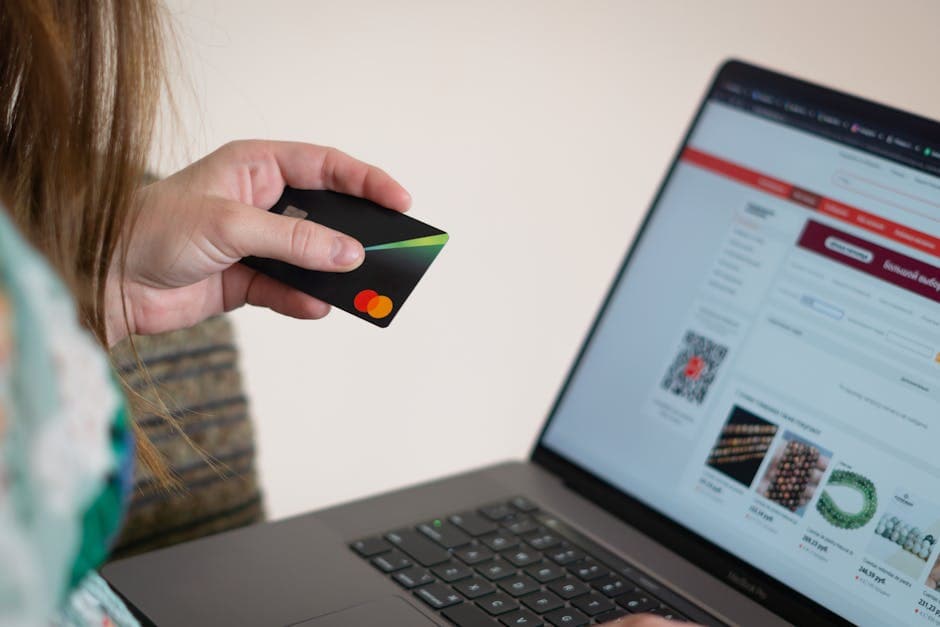
Stripe-Integrated Paid Bookings: Setup, Refunds, and CRM Workflow
"I'll give you 30 minutes of free advice."
You said it to be helpful. To build trust. To show value upfront.
Then you spent an hour preparing, 45 minutes on the call (because they had "just a few more questions"), and another 20 minutes sending follow-up resources they requested.
Two hours of work. Zero dollars. And they ghosted when you sent the proposal.
Free consultation calls feel generous, but they attract tire-kickers who waste your time and never convert. Paid bookings filter for serious prospects while respecting your expertise.
Here's how to set up Stripe-integrated bookings that convert browsers into buyers before they ever get on the call.
The Problem with Free Consultations
Free calls sound like smart marketing. You're lowering the barrier to entry, building relationships, demonstrating value.
In reality, you're training prospects to expect your time for free.
Here's what actually happens:
1. Everyone Books, Few Are Qualified
When there's no cost to book, people click without thinking. You get:
- Comparison shoppers gathering free advice from 5 consultants
- Students doing "research" for their hypothetical future business
- Bargain hunters who will never pay your rates
- Actual qualified prospects (buried in the noise)
With no financial commitment, there's no incentive to show up prepared or take the conversation seriously.
2. Uncommitted Bookings Create Avoidable No-Shows
A payment or refundable deposit can add commitment, but the effect is different for every audience and offer. Compare paid and unpaid booking cohorts in your own data instead of adopting a generic no-show benchmark.
Track bookings, attended appointments, timely cancellations, late cancellations, refunds, and disputes using one written definition for each metric.
3. You Can't Qualify Pre-Call
With free bookings, you discover fit during the call—after you've already invested prep time.
With paid bookings, you qualify during the payment process. Serious prospects pay. Non-serious prospects bounce. You only spend time with buyers.
4. Positioning Suffers
Giving away consultations signals that your time isn't valuable. If you'll talk for free, why would someone pay you thousands for implementation?
Charging for strategy sessions positions you as an expert worth paying for—even before they become a client.
What Is a Paid Booking?
A paid booking requires a customer to pay a fee or deposit as part of the appointment workflow. The payment may be a standalone consultation fee, a deposit governed by a written cancellation policy, or a credit governed by documented terms.
Choose the model from the service economics and customer promise. Disclose the amount, currency, refund or credit conditions, deliverable, and cancellation terms before checkout.
When to Charge for Bookings
Test a fee or deposit when preparation cost, limited capacity, late cancellations, or unqualified appointments create a measurable operational problem. Keep the booking free when reducing payment friction is more important to the offer.
Make the decision from your own baseline: booking completion, attendance, cancellation, refund, dispute, qualified-opportunity, and downstream-revenue data. Avoid universal close-rate or deal-size thresholds.
How to Set Up Stripe-Integrated Bookings
- Define the service, deliverable, duration, amount, currency, and tax treatment.
- Publish the cancellation, refund, deposit, and credit terms before checkout.
- Configure payment collection using the approved Stripe and booking workflow for your account.
- Keep card data in Stripe and store only the required payment reference and status in operational systems.
- Test successful payment, cancellation, refund, retry, duplicate-event, and failed-payment paths.
- Reconcile the appointment, customer record, and Stripe transaction before launch.
Do not assume a connector, webhook, receipt, reminder, or CRM action is automatic until that behavior has been enabled and verified in the account being used.
Price the Session from Your Own Economics
Start with the cost of delivering the session, not a universal market range. Include preparation, meeting time, follow-up, payment fees, expected refund handling, and the value of any deliverable.
- Calculate delivery cost: total staff time multiplied by the relevant loaded hourly cost.
- Add direct costs such as payment fees or a promised deliverable.
- Choose whether the payment is a fee, refundable deposit, or credit toward later work.
- Publish the refund and credit rules before checkout.
- Test one price for a defined period, then compare booking quality, attendance, refunds, and downstream revenue with the prior baseline.
Record the assumptions and review date. A price is defensible when the math, customer promise, and observed results agree.
Handle Paid-Booking Objections with a Clear Offer
Explain what the customer receives, how the amount was determined, and what happens after payment. If the customer is still evaluating fit, offer the lowest-friction path that matches your sales process rather than inventing urgency or quoting an unsupported market benchmark.
Use the same written refund, credit, and cancellation terms in sales copy, checkout, confirmation messages, and operator procedures.
Measure Against Your Own Baseline
Define a before period and an after period with the same audience, offer, and attribution rules. Report counts as well as rates so a small sample does not look conclusive.
- Booking-page visits and completed payments
- Confirmed bookings, attended sessions, and timely cancellations
- Late cancellations, no-shows, refunds, and disputes
- Qualified opportunities and closed revenue from each cohort
- Preparation, meeting, and follow-up time per completed session
Do not publish an improvement claim until the measurement window, sample size, exclusions, and calculation are documented.
Track the Paid Booking in Your CRM
Keep payment collection in Stripe and use the CRM as the operational record. Store the Stripe payment or checkout reference, amount, currency, payment status, refund status, appointment time, policy version, and responsible owner. Never store full card data in a CRM note or custom field.
Create follow-up tasks or workflow actions only for capabilities that are enabled and tested in your account. If payment and booking updates are connected through an integration, test success, cancellation, refund, retry, and duplicate-event cases before relying on automation.
The acceptance test is simple: an operator can trace a booking from the appointment to the Stripe record and back without copying sensitive payment data.
Implementation and Launch Checklist
- The service, deliverable, amount, currency, tax treatment, and policy version are documented.
- Checkout displays the customer promise and refund or credit terms.
- Success, failure, cancellation, refund, retry, and duplicate-event tests pass.
- The appointment and CRM record can be reconciled to the Stripe reference.
- Owners know how to handle exceptions without storing card data outside Stripe.
- The measurement baseline and review window are recorded before launch.
The Bottom Line
Paid bookings are a qualification and commitment mechanism, not a guaranteed conversion lift. Use a clear customer promise, a written refund policy, Stripe-hosted payment collection, disciplined CRM tracking, and a measured before-and-after test.
Keep the model only if your own data shows better use of team time without unacceptable refund, dispute, or customer-experience costs.
Frequently Asked Questions
When should I charge for consultation calls instead of offering them free?
Test a fee or deposit when your records show that unqualified bookings, late cancellations, or preparation time create a material cost. Keep the offer free when removing payment friction is more important, and compare both cohorts using the same definitions.
How much should I charge for a paid consultation?
Calculate delivery cost from preparation, meeting, follow-up, direct fees, and the promised deliverable. Decide whether the amount is a fee, refundable deposit, or future credit, then test it against your own baseline.
What is the difference between a refundable deposit and a consultation fee?
A deposit follows the cancellation and attendance terms disclosed before checkout. A consultation fee pays for the promised service or deliverable. State the model and conditions plainly before collecting payment.
How should applied credits be handled?
Document what future purchase qualifies, when the credit expires, how it appears in the customer record, and how refunds or cancellations affect it. Reconcile the credit to the original Stripe reference.
How should I track a Stripe-paid booking in PipeCrush?
Record the customer, appointment, Stripe reference, amount, currency, payment status, refund status, policy version, and follow-up owner without copying card data. Use automation only after the relevant integration behavior passes its acceptance tests.
Get the Complete Guide
Download this resource as a beautifully formatted PDF for offline reading, sharing with your team, or future reference.
Never miss an update
Get technical insights on revenue operations, cold email infrastructure, and AI-powered support delivered to your inbox.
No spam, ever. Unsubscribe anytime.